
Release Notes
First Week Of The Month
New Features
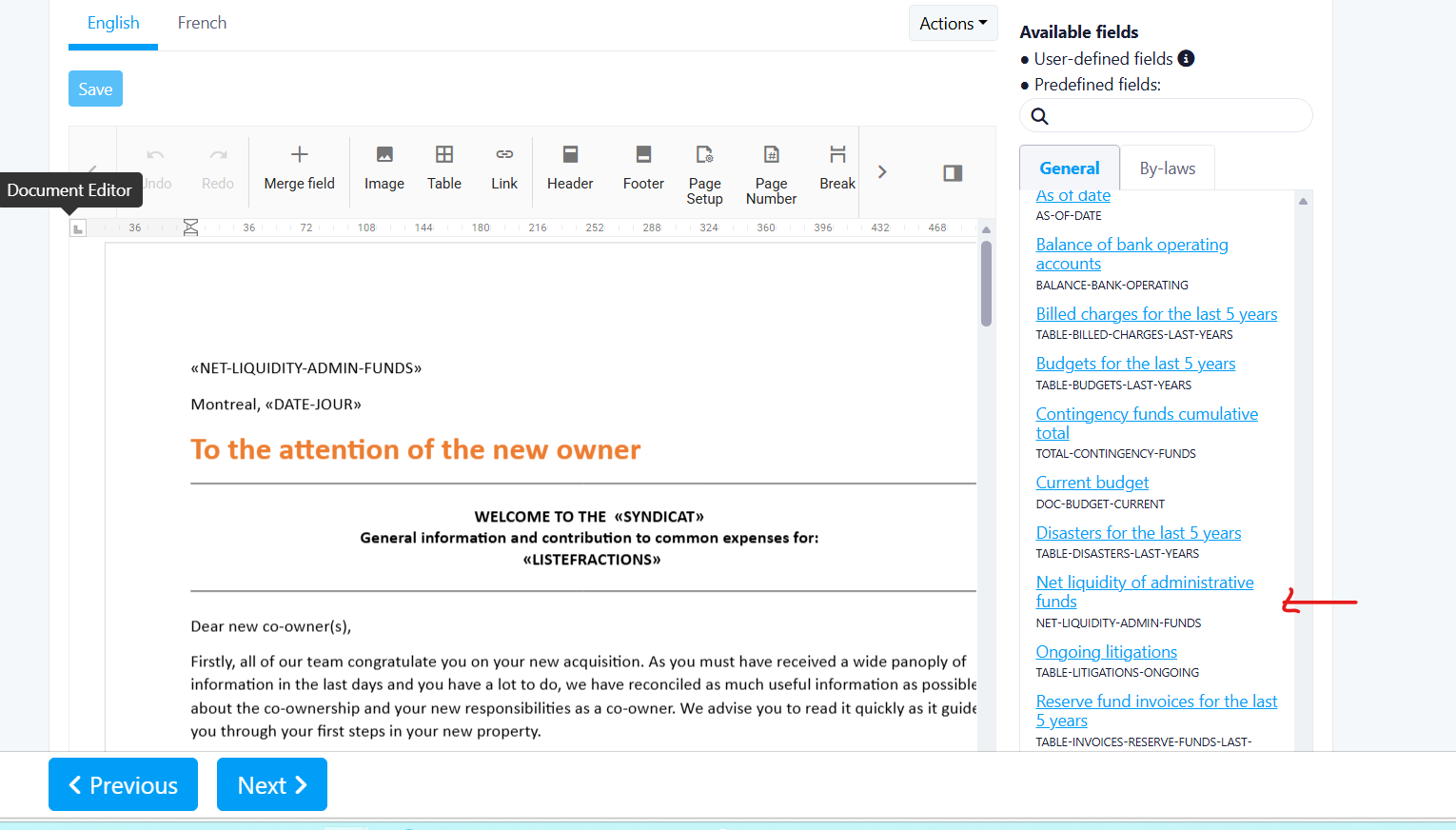
Addition of “Net Interfund FA Liquidity” Field
Net Interfund FA Liquidity“Total liquidity available to pay current expenses”
Benefits
- Improves accuracy of liquidity calculations for financial reporting
- Aligns with CPA guidelines for attestation production
- Provides clearer visibility into real available funds after interfund adjustments
Where to Find It
To access it:
- Navigate to Mail Merge
- Open a mail merge template or create one
- Insert the new field Net Interfund FA Liquidity alongside existing liquidity fields
How It Works
Net Interfund FA Liquidity = Total Bank + Interfund Receivables – Interfund Payables“As of [date], the interim financial statements show a cash balance for the Administration Fund of [$ amount] (i.e., Total Bank + Interfund Receivables – Interfund Payables).”
What’s New / What’s Changed
- Added new calculated field: Net Interfund FA Liquidity
- Integrated this calculation into the attestation text (section 2.4)
- Updated liquidity logic to comply with CPA attestation guidance
Important Notes
- This change impacts attestation outputs and financial summaries
- Values depend on accurate interfund receivable and payable data
- Ensure underlying financial data is up to date for correct calculations
Feature Request Form
Feature Request FormBenefits:
- Streamlined way for users to submit feature requests
- Automatic capture of user and context information
- Improved visibility and prioritization through Jira integration
Where to Find It
To access it:
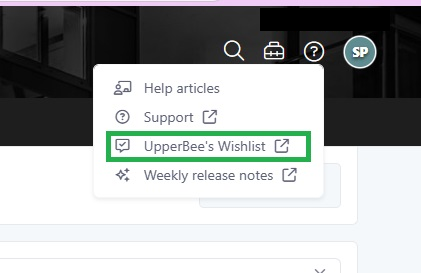
- Navigate to "help" on the top right of the screen, then select "UpperBee's Whishlist"
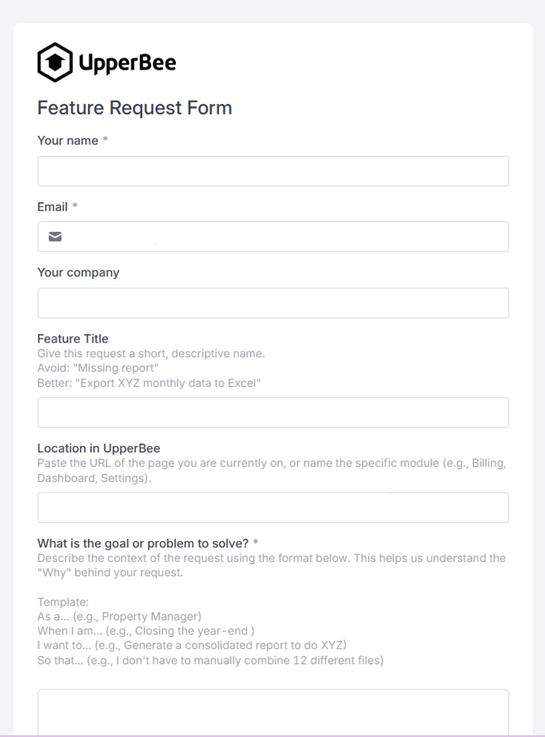
- Open the Feature Request Form
- The form will automatically reflect your current context (location)
How It Works:
- The form is partially auto filled with user information:
- Name
- Company
- Location (based on where the user is in the application)
- Users must complete the required fields:
- Goal or problem to solve
- Who is affected and the impact
- Optional fields include:
- Feature title
- Proposed solution or idea
- Supporting documents or screenshots
- Upon submission:
- A Jira ticket is automatically created
- All provided information and attachments are transferred
Improvements
Change Period
New Feature
Overview
Benefits
Where to Find It
To access it:
-
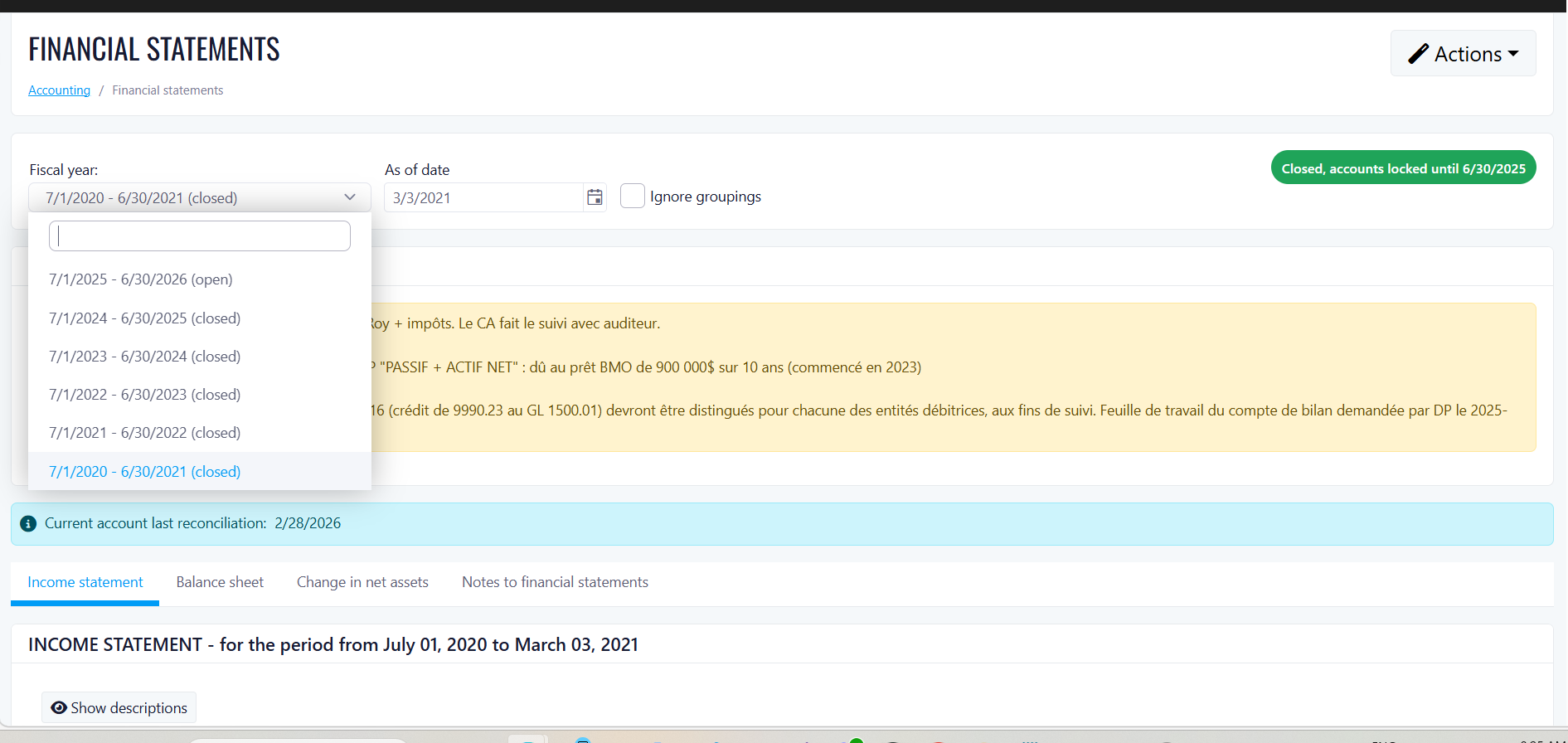
Navigate to Fiscal Year settings
-
Select the last fiscal year period
-
Click the Edit End Date action (visible only on the last fiscal year)
How It Works
What's New / What's Changed:
Important Notes
Common Charges Export Now Includes Tax Breakdown
OverviewPast StateWhat's NewHow It WorksWhere to Find ItTo access it:Benefits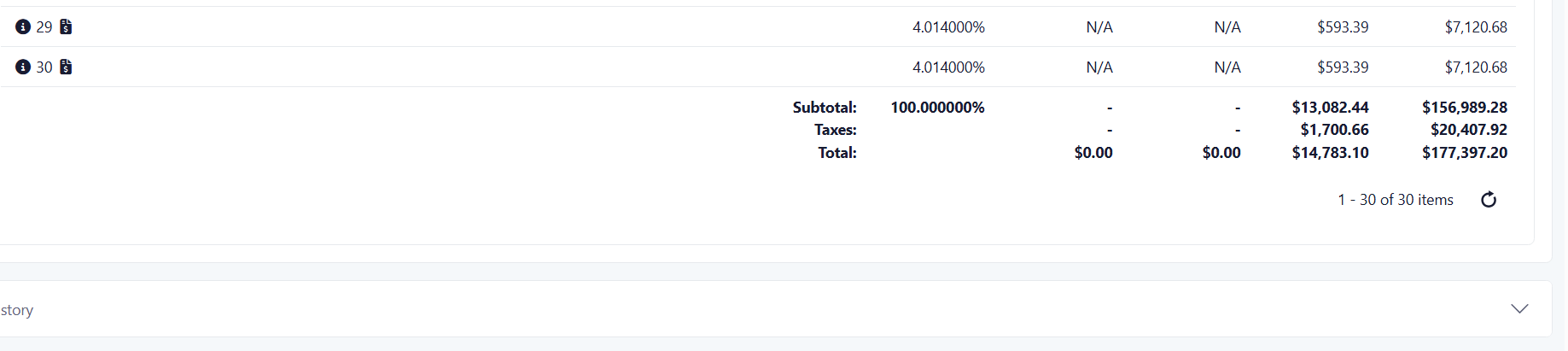
 Important Notes
Second Week Of The Month
New Features
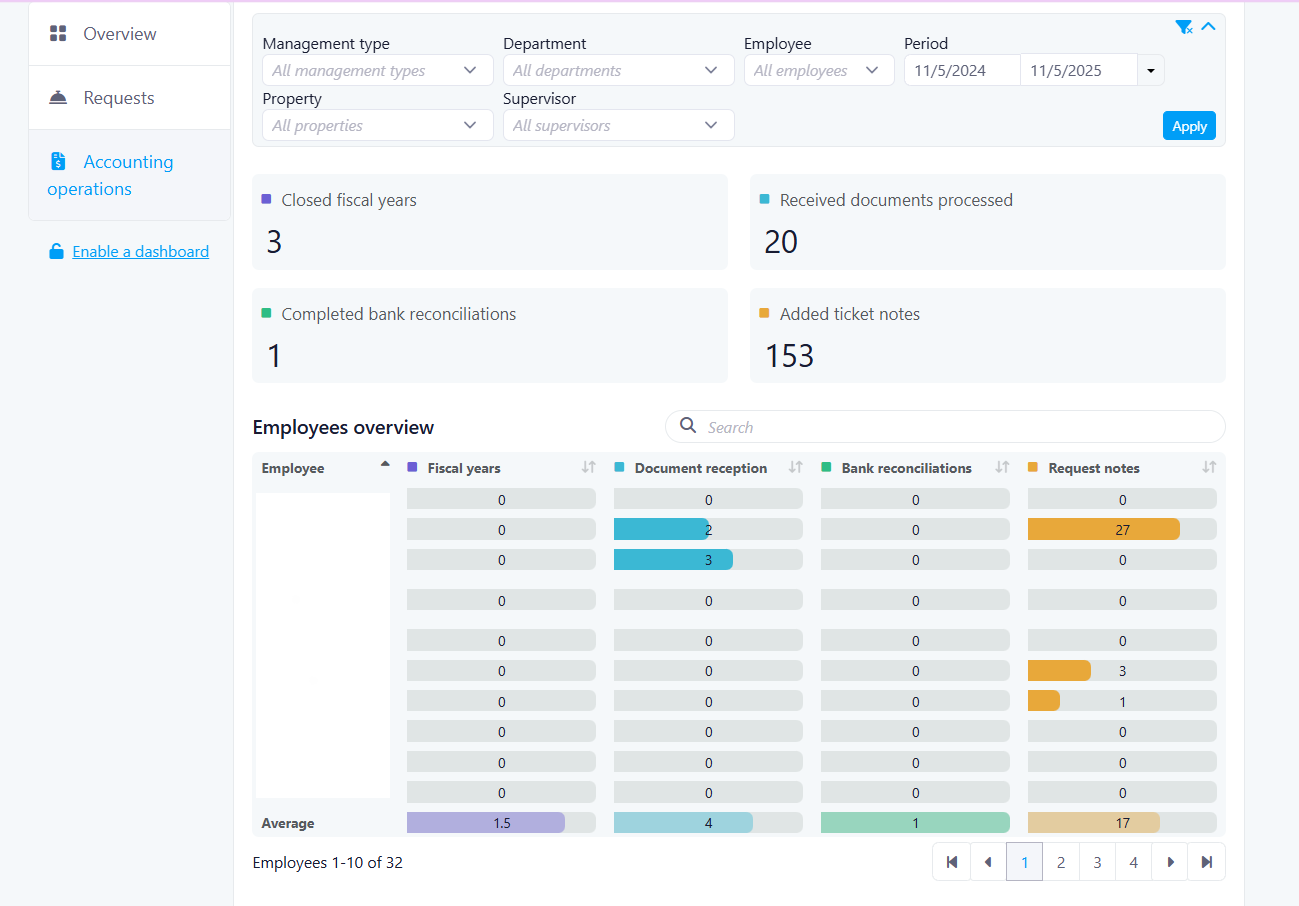
Accounting Activity Dashboard
Accounting Activity Dashboard
Benefits
- Gain a centralized view of accounting activity across all properties
- Monitor team performance by manager and individual employees
- Identify trends and workload distribution with daily breakdowns
Where to Find It
(adjust if needed based on your actual menu)To access it:
- Navigate to the Accounting module
- Open the Dashboard section
- Apply filters as needed (Property, Supervisor, Management Type, Date Range)
How It Works
1. Overall View (Last 30 Days by Default)- Closing Fiscal Year (Closed)
- Document Reception (Completed)
- Bank Reconciliations (Completed)
- Notes / Requests (Answered or updated, minimum 10 characters)
2. Overall by Manager
- Filter by date range (up to 90 days)
- Search by employee name
- Sort data by column (availability may vary)
- View averages and progress indicators per category
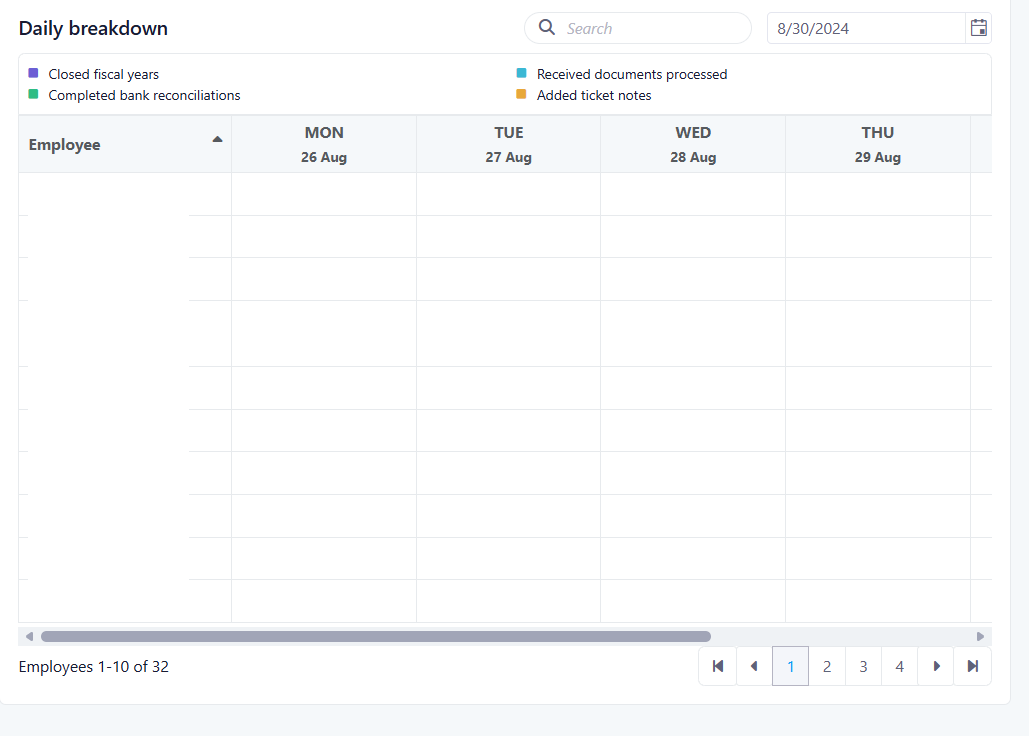
- Data grouped in 5-day intervals
- Graphical representation of activity per day
- Totals calculated per category over the selected period
- Sorting available by totals
What’s New / What’s Changed
- New dashboard to track accounting operations across multiple categories
- Drill-down capability from overall data to manager and employee levels
- Introduction of daily activity tracking with visual graphs
- Advanced filtering options (Property, Supervisor, Management Type, Date Range)
- Search and sorting functionality for improved data analysis
- Average calculations with visual progress indicators
Important Notes
- Default view displays data from the last 30 days
- Maximum date range for manager view is up to 90 days (subject to validation)
- Sorting may not be available for all categories (e.g., Notes / Requests)
- Notes / Requests require a minimum of 10 characters to be counted
Improvements
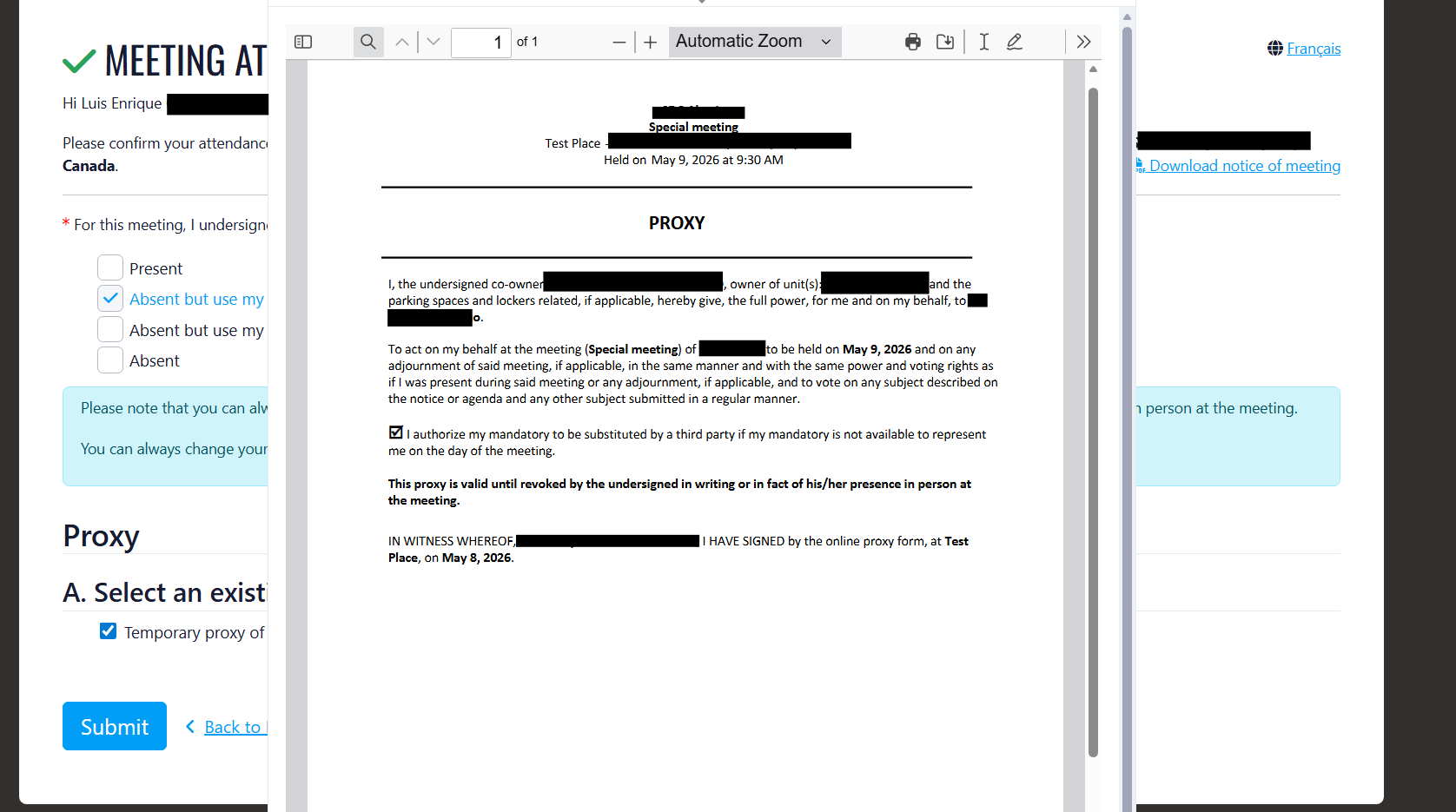
Proxy Assigned Person Email Display
Overview
Past State
What’s New
How It Works
GivenToEmail
- Johanne Jette (
example@email.com)
Where to Find It
- Go to Communication
- Select Meetings
- Edit a meeting
- Generate the meeting notice
- Preview the notice
- Send by email
- Open the email
- Assign a proxy
Benefits
- Improves legal verification of proxy assignments
- Provides better visibility of assigned proxy information
- Helps managers confirm the identity of the assigned person
Screenshot
Third Week Of The Month
New Features
Service Review Dashboard
Overview
Past State
What’s New
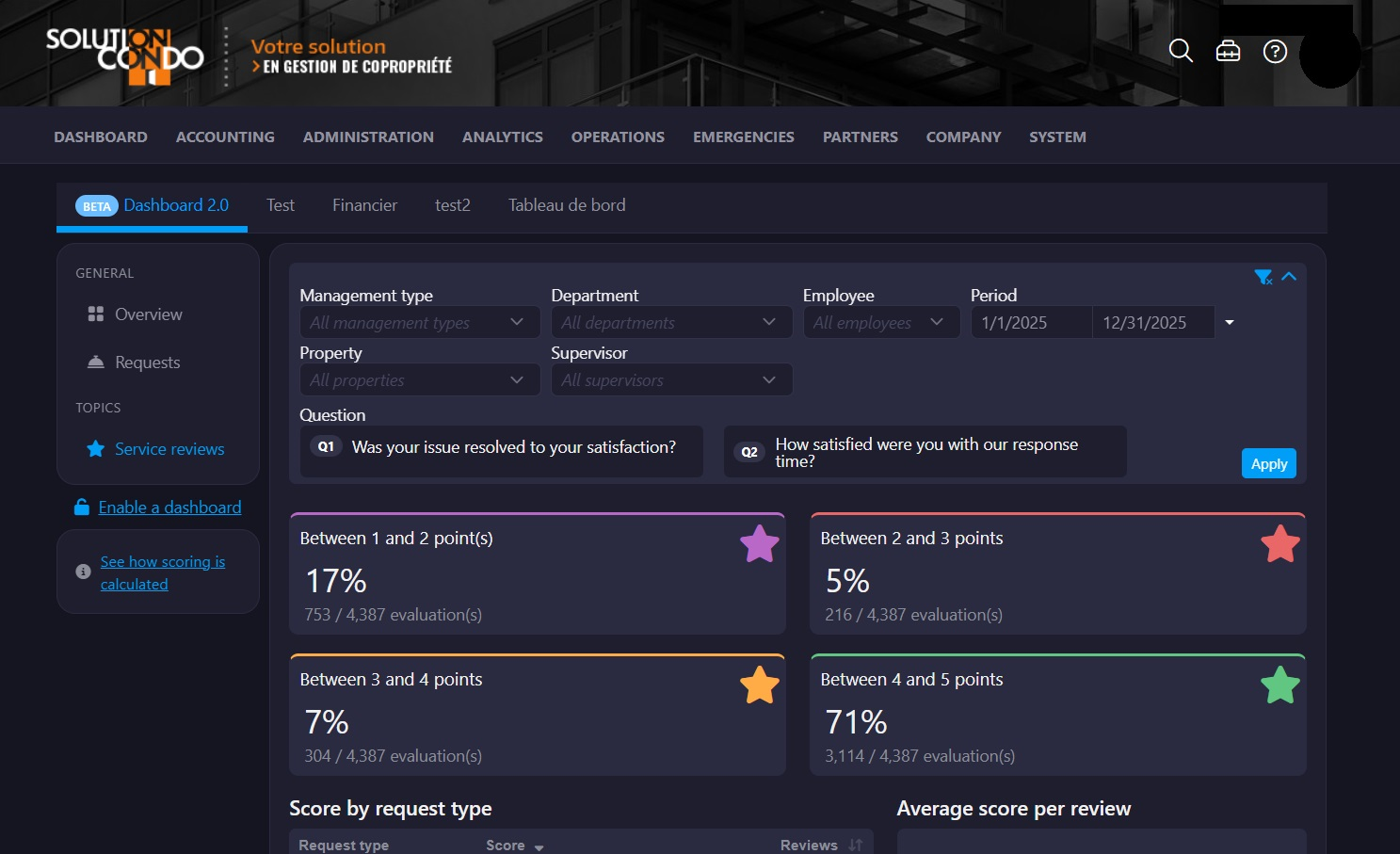
- View client feedback statistics in a centralized dashboard
- Filter results by property, supervisor/department, employee, and date range
- Analyze feedback by specific survey questions (Q1/Q2)
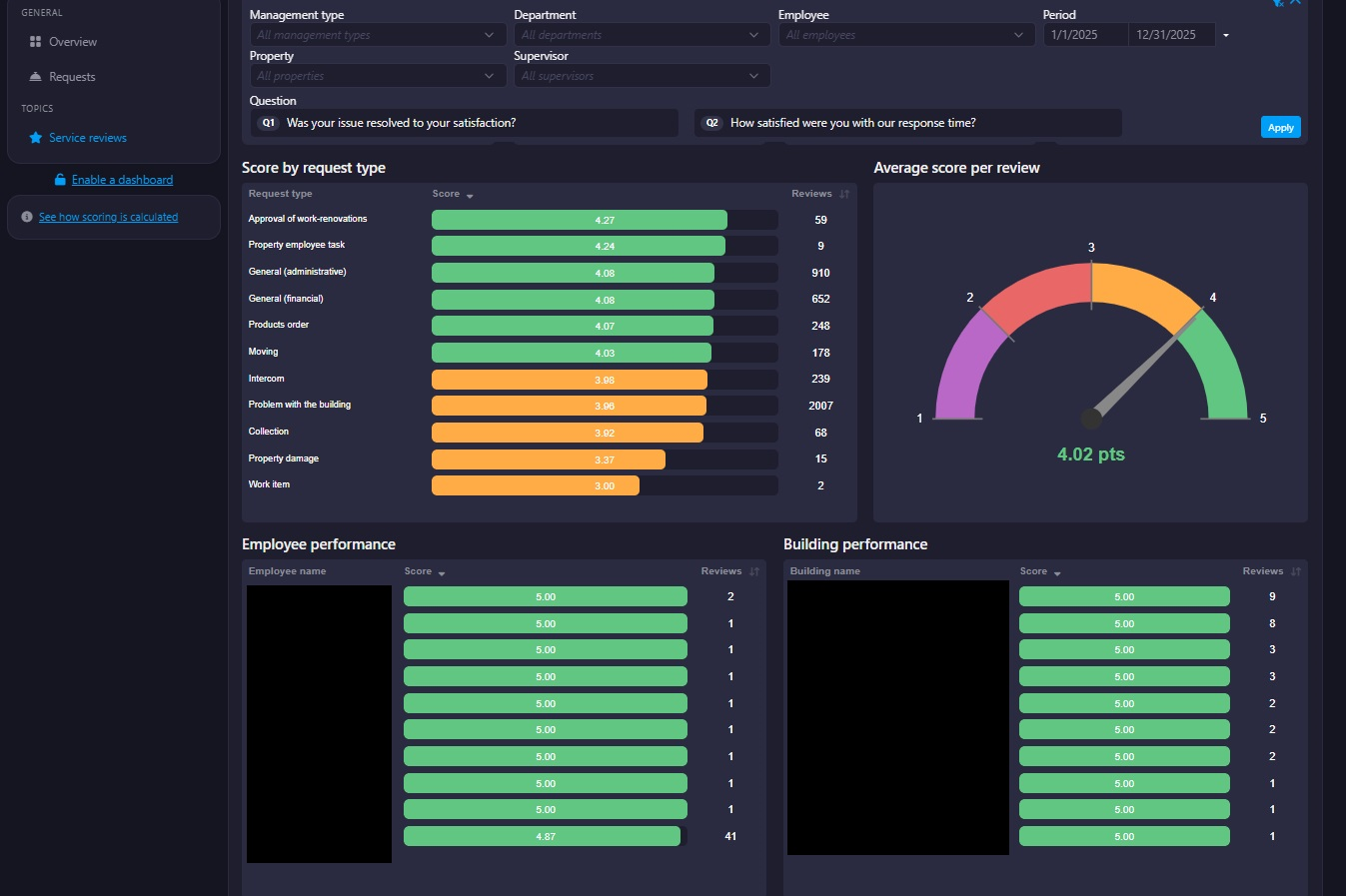
- View employee and building performance rankings
- Access request type scoring and review breakdowns
- Sort and paginate large result sets for easier analysis
How It Works
Where to Find It
To access it:
- Proceed to Company
- Navigate to Dashboards - Service Reviews Dashboard
- Apply filters or select review questions to analyze results
Benefits
- Improved visibility into client satisfaction trends
- Easier performance tracking for employees and buildings
- Faster identification of service improvement opportunities
Important Notes
- The default dashboard range displays data from the last 90 days.
- Employee results dynamically update based on selected property and supervisor filters.
- Pagination is automatically enabled for large result sets.
Improvements
Feature update: Priority Filter Addition – Dashboard Requests
Past State
- Management Type
- Department
- Employee
- Property
- Supervisor
What’s New
- P1
- P2
- P3
- P4
How It Works
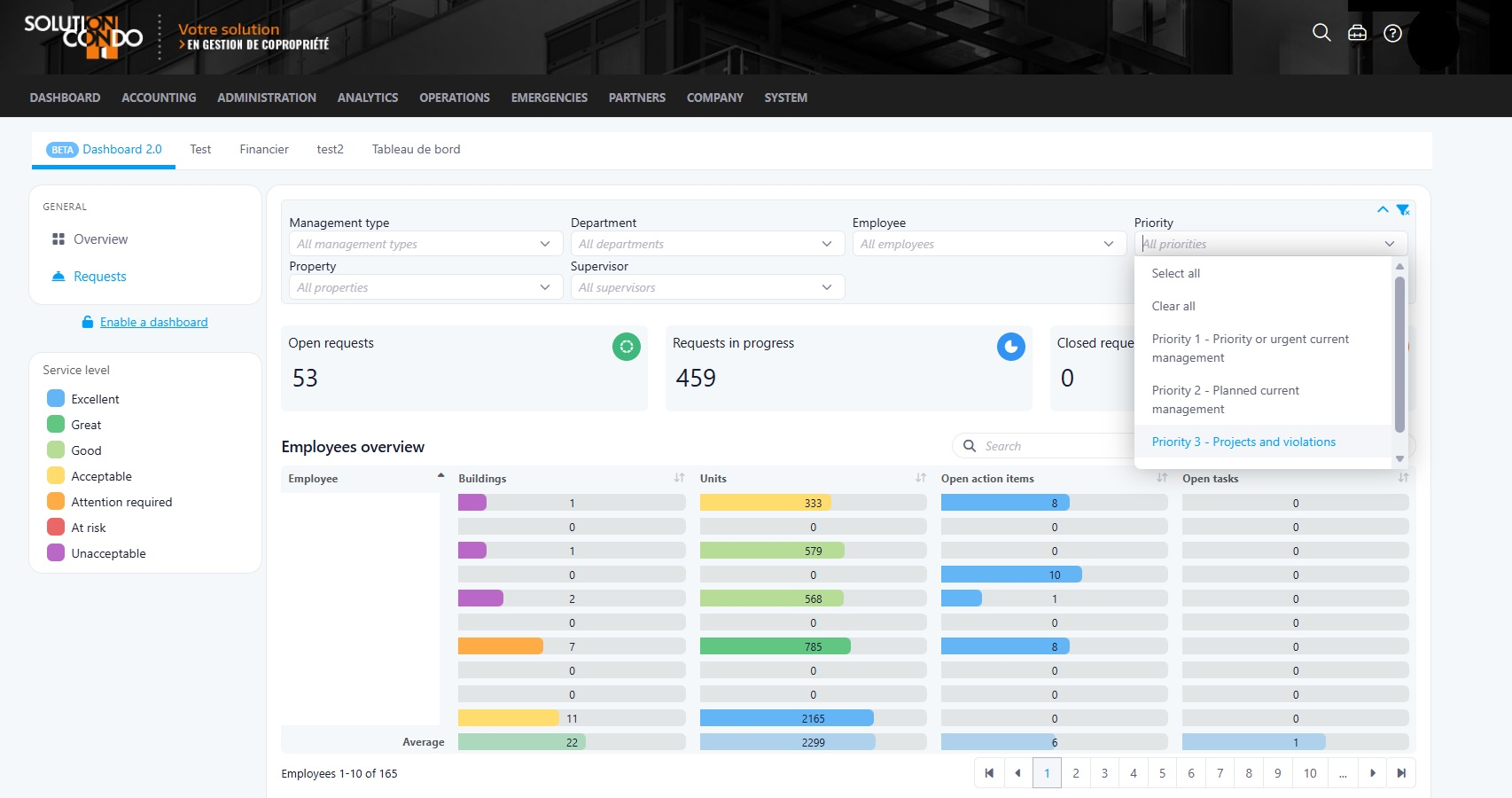
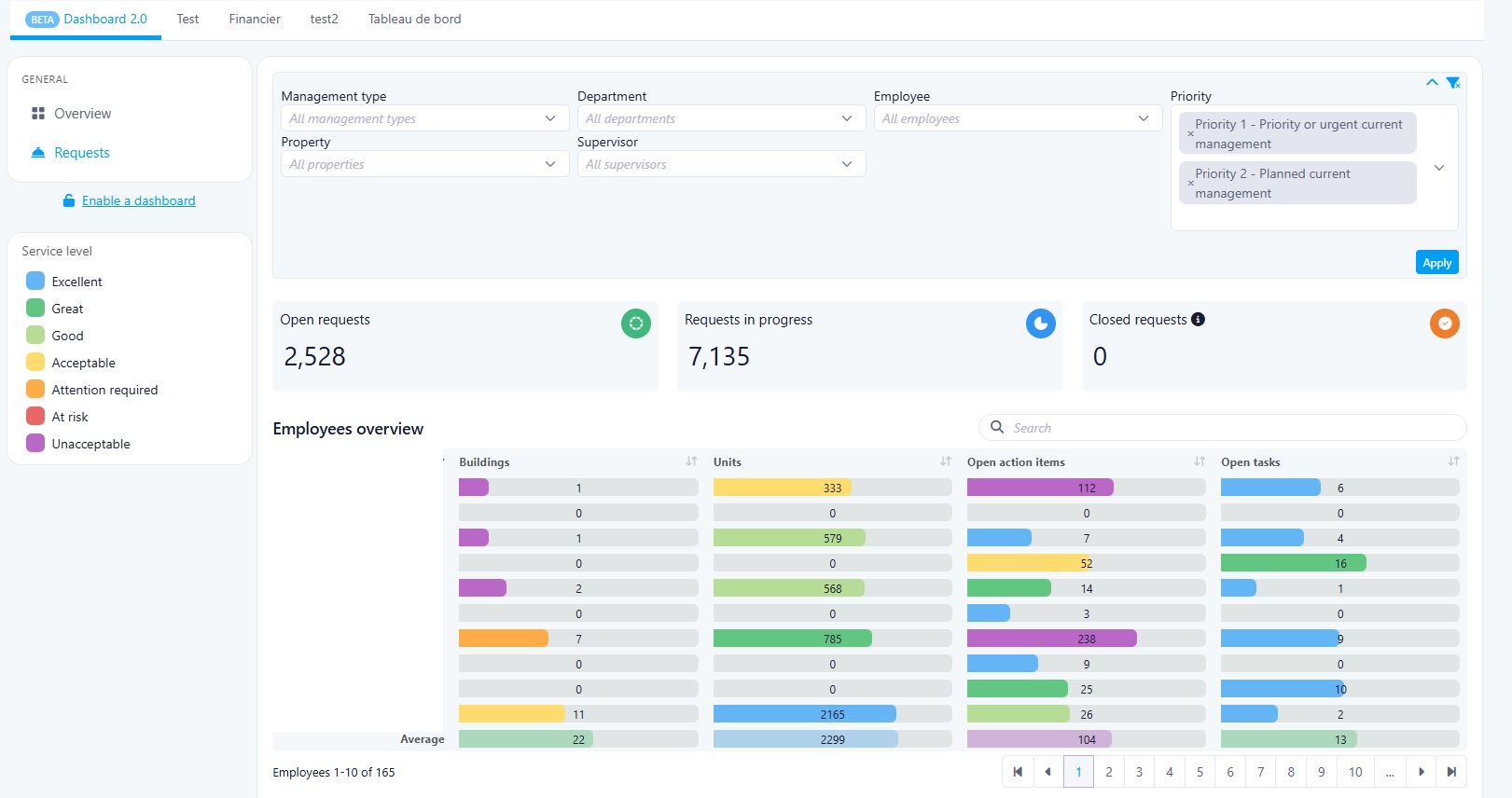
- A new Priority filter is now available in Dashboard – Requests.
- Users can select one or multiple priority levels.
- Dashboard data and indicators will dynamically update based on the selected priorities.
- The new filter works alongside the existing filters:
- Management Type
- Department
- Employee
- Property
- Supervisor
Where to Find It
Dashboard → RequestsTo access it:
- Open the Dashboard module
- Navigate to the Requests section
- Use the new Priority filter available with the existing dashboard filters
Benefits
- Improves visibility of urgent requests
- Provides a more realistic operational overview
- Helps reduce the impact of long-standing low-priority requests on dashboard metrics
Important Notes
- By default, all priority levels remain selected unless filters are applied.
- The Priority filter can be combined with all existing dashboard filters.
Last Week Of The Month
New Features
UpperBee Pay : Bank Account Modification Restriction for Service-Linked Accounts
OverviewPast StateWhat's NewHow It WorksWhere to Find ItTo access it:BenefitsScreenshot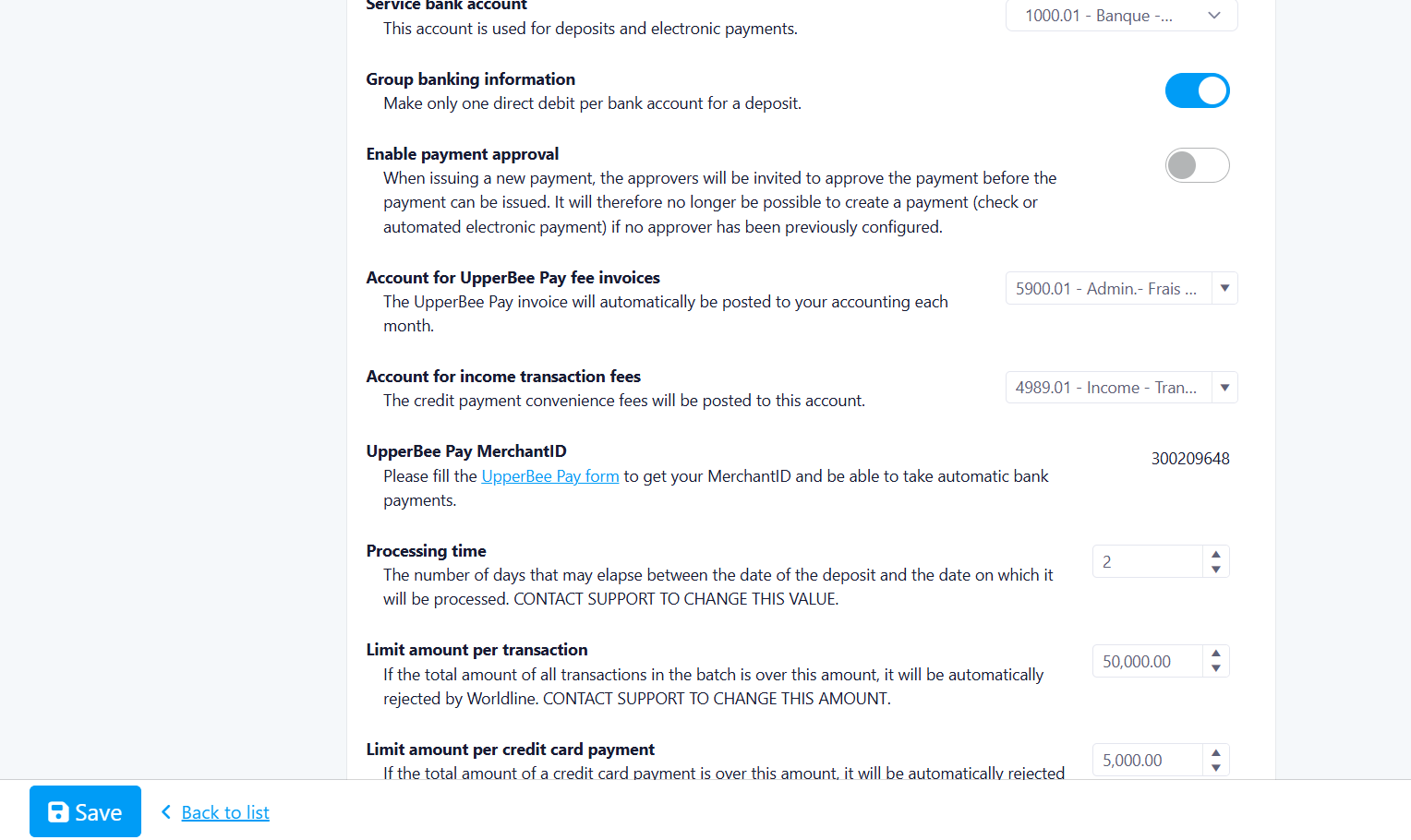
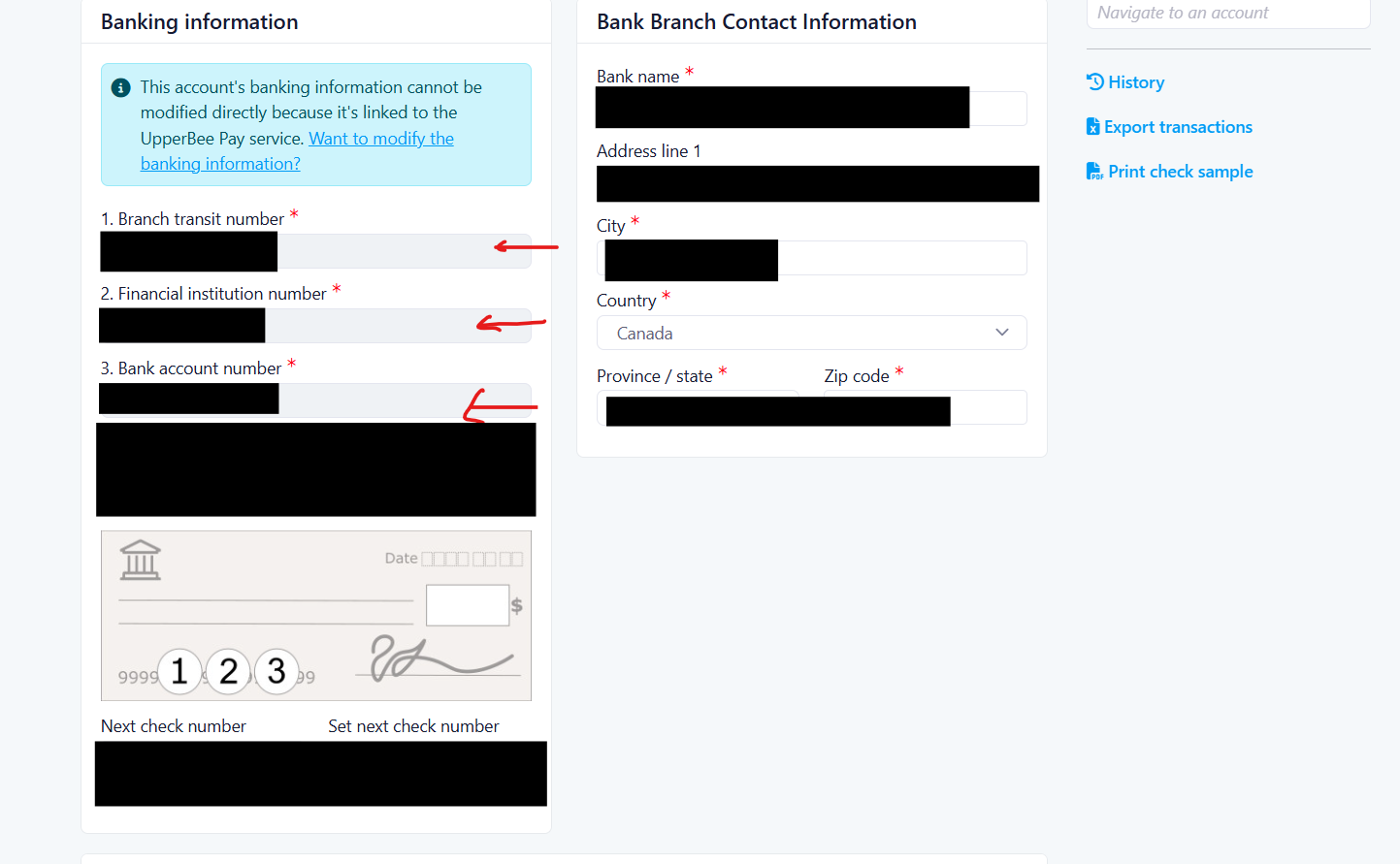 Important Notes
Cheque Specimen Validation on UpperBee Pay Onboarding
OverviewHow It WorksWhere to Find ItTo access it:BenefitsScreenshot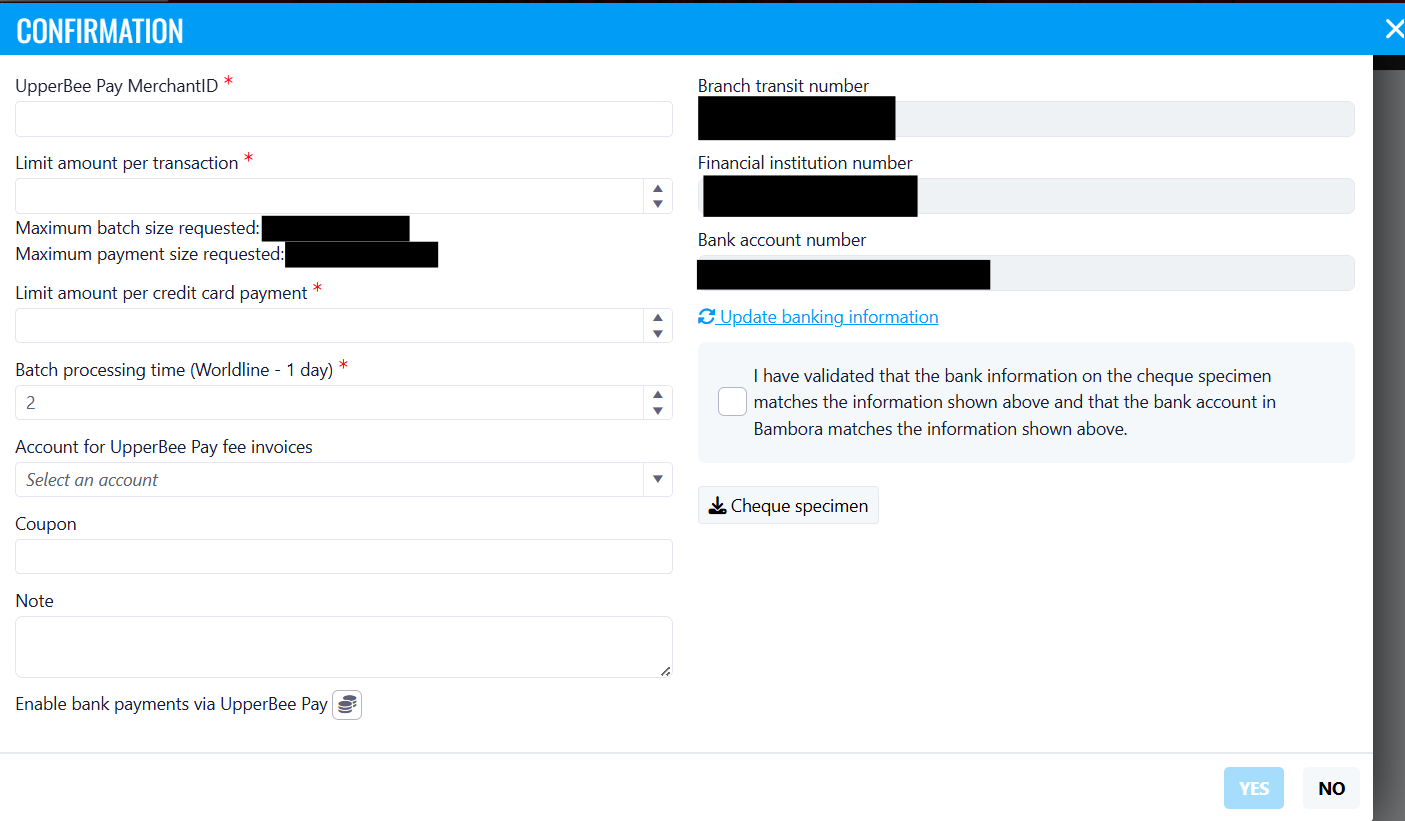 Important Notes
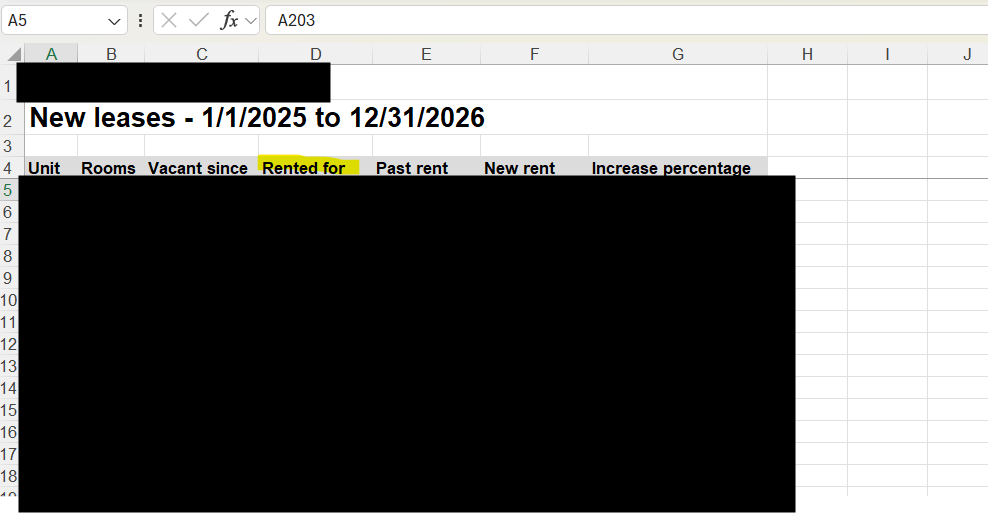
Rental Date Added to the Rental Report
How It WorksWhere to Find ItTo access it:BenefitsScreenshot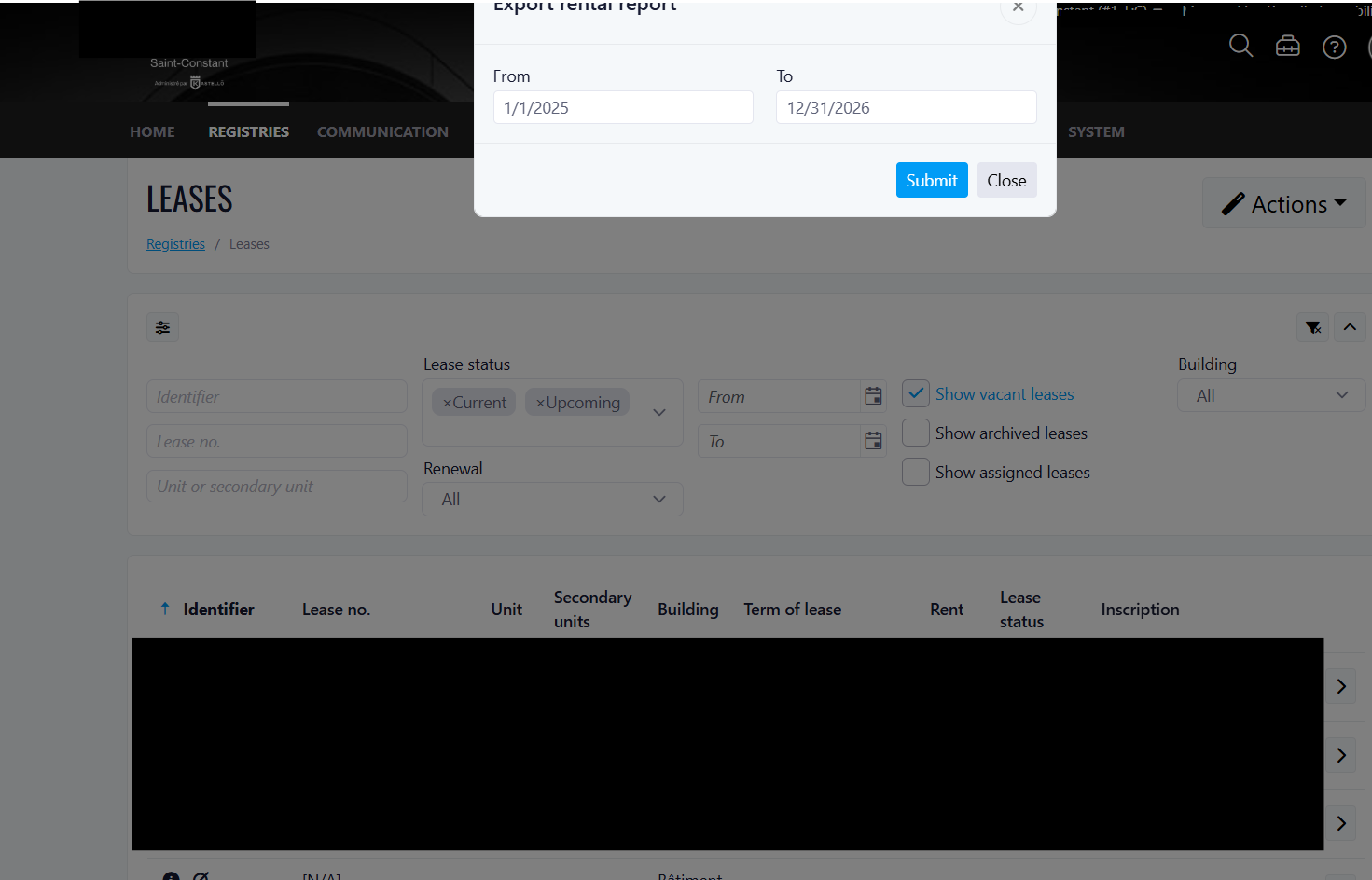
Important Notes
Improvements
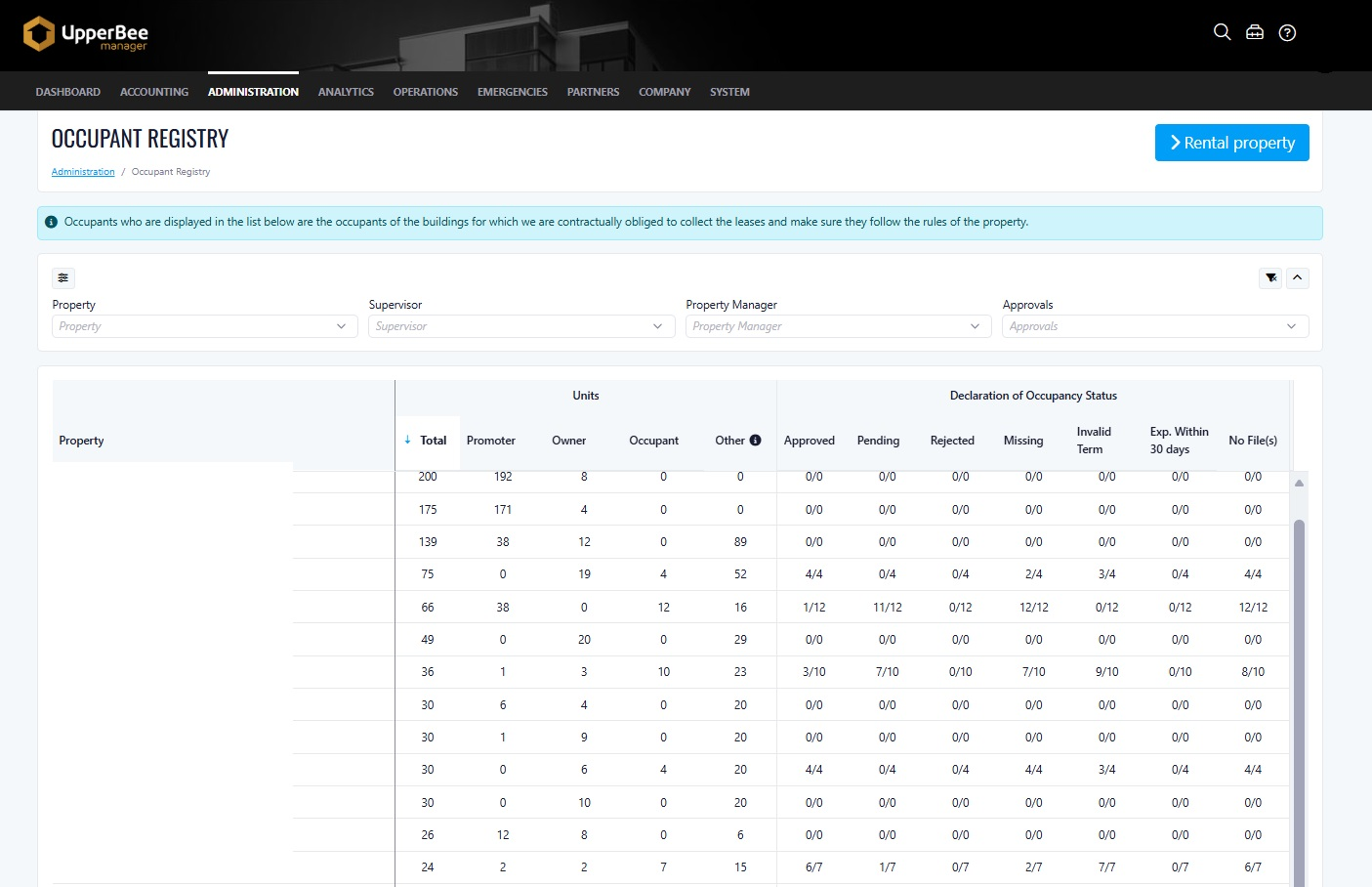
Occupant Registry – Summary View & Enhanced Filters
Occupant Registrysummary viewBenefits:
- Improved visibility of occupancy status across properties
- Faster identification of missing, pending, or expiring declarations
- More efficient data analysis with enhanced filtering options
Where to Find It
To access it:
- Navigate to Administration
- Select Leases and Declarations of Occupancy
- Open the Occupant Registry page
How It Works:
summary view grouped by property- Total units
- Owner-occupied units
- Rented units
- Other occupancy types
- Approved
- Pending
- Rejected
- Missing
- Invalid term
- Expiring within 30 days
- No attachment
What's New:
- Added summary view grouped by property
- Enhanced filtering capabilities:
- Property (multi-select)
- Supervisor (multi-select)
- Property Manager (multi-select)
- Approvals toggle
- Introduced detailed occupancy status tracking
- Improved visibility of data gaps and required actions
Important Notes:
- The Approvals filter behavior may depend on system configuration (document approval settings)
- Performance may vary when applying multiple filters on large datasets
Service Satisfaction Survey Setting Moved to Company Configuration
Past StateWhat's NewHow It WorksWhere to Find ItTo access it:BenefitsScreenshot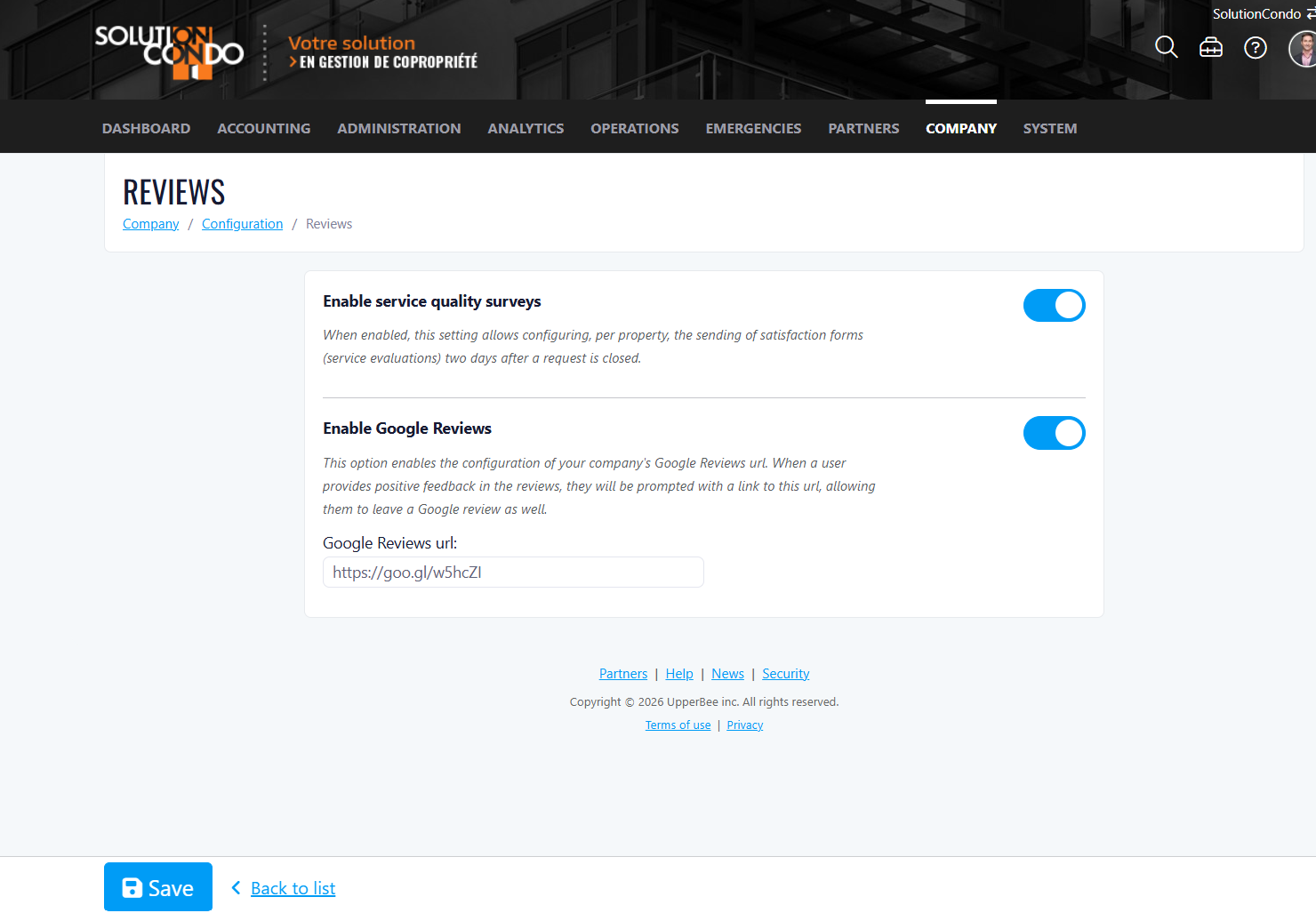 Important Notes
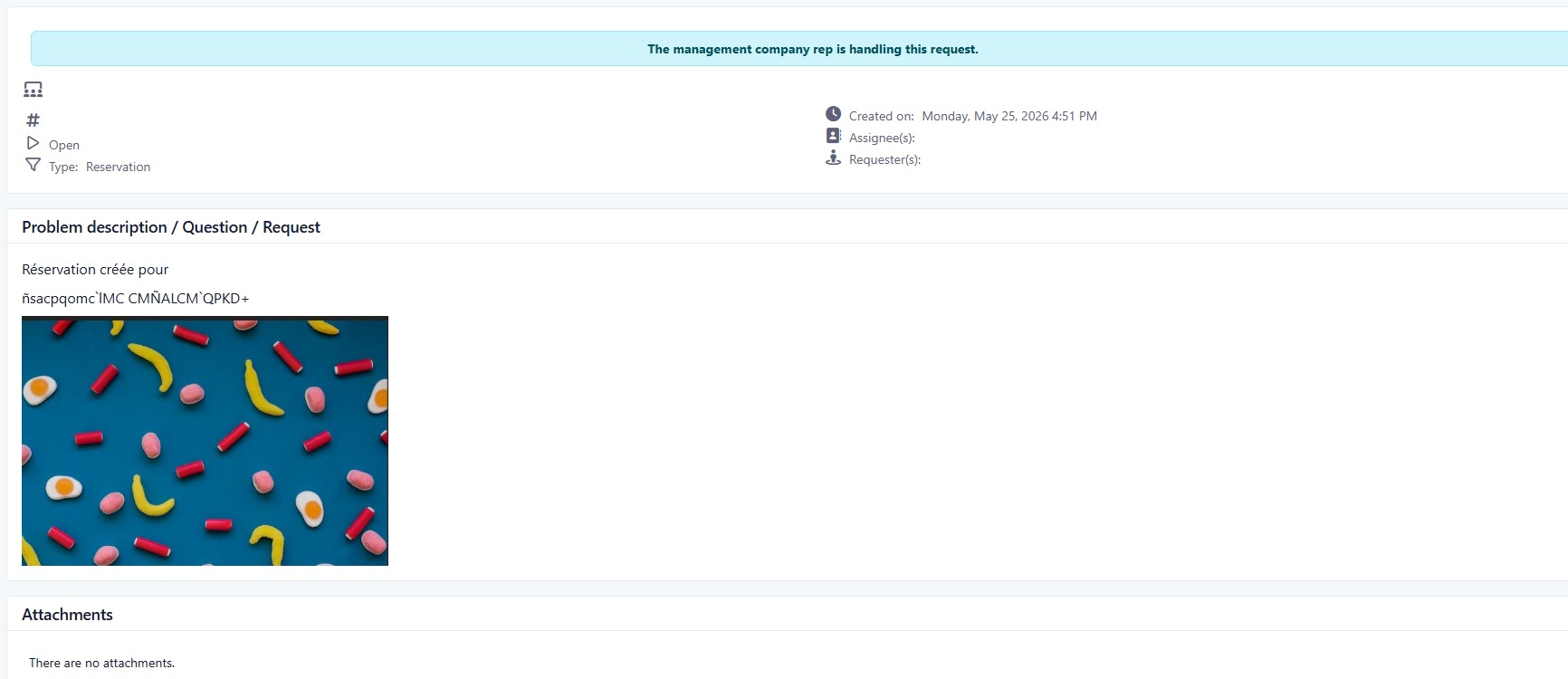
Resident Move-Out and Reservation Description Field
Past State
What’s New
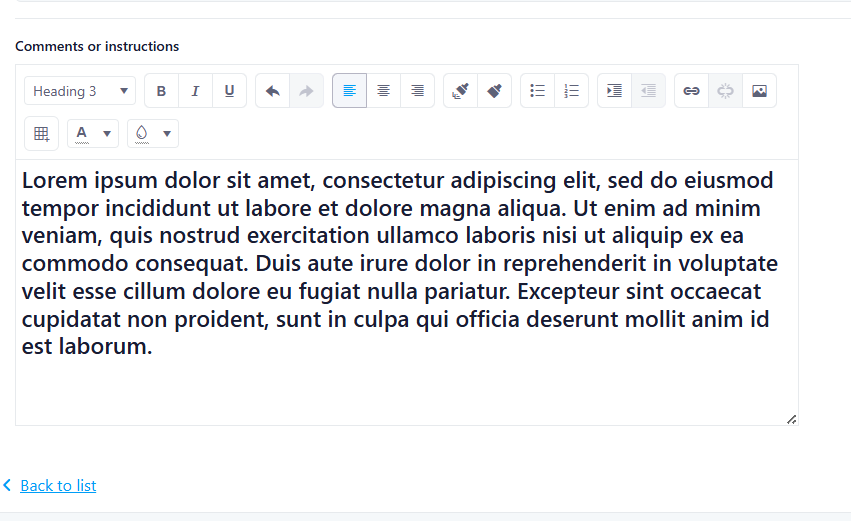
- A new optional description field has been added to resident move-out and reservation pages.
- The field uses the same input type as the existing manager reservation description field.
- The field is not mandatory.
- If left empty, the request description will only contain the default system-generated message.
- If residents enter text, the request description will include both the default message and the resident’s additional comments.
- The field height has been optimized to be smaller than the manager reservation version for a more compact resident interface.
How It Works
- If no text is entered, the system will generate the standard default request description.
- If text is entered, the system will append the resident’s comments to the default description automatically.
Where to Find It
- Resident Move-Out pages
- Resident Reservation pages
- Navigate to the Resident Portal
- Open the Move-Out or Reservation section
- Create a new request and use the Description field if additional details are needed
Benefits
- Improves communication between residents and property management
- Allows residents to provide useful request context
- Maintains a clean and compact interface while offering more flexibility
Screenshot
Important Notes
- The description field is optional.
- The system-generated default message will always remain included in the request description.