
Release notes
- Release week of 2025-12-07
- Release week of 2025-12-14
- Release week of 2025-12-21
- Release week of 2025-12-28
-
- (Beta) = Selected clients for the initial release. Full rollout typically follows within 10 days.
.
Release week of 2025-12-07
New Features
Streamline Your Inbox with New Reminder Filters
Staying on top of your tasks just got easier in UpperBee Manager. We’ve added a new filtering capability to your Message view:
-
Focus on what matters: Instantly filter to see only messages with reminders to catch up on deadlines.
-
Declutter your view: Filter to exclude reminders when you simply want to browse general messages.
Look for the new filter icon in your message list today!

Certified Email Tracking Dashboard
We have introduced a new dedicated dashboard for Certified Emails, giving Property Managers complete visibility into the lifecycle of important communications. You can now track delivery history and engagement results in real-time.
-
Engagement Insights: View the total number of recipients who have (or haven’t) opened your email.
-
Message History: Review the full details of the sent message.
-
Actionable Tools: Easily resend messages to recipients who haven't opened them yet.
-
Proof of Delivery: Generate and download a comprehensive Delivery Report (PDF) for your records.
-
How to Access: As a Property Manager, navigate to the Messages and Requests area to view the new dashboard.
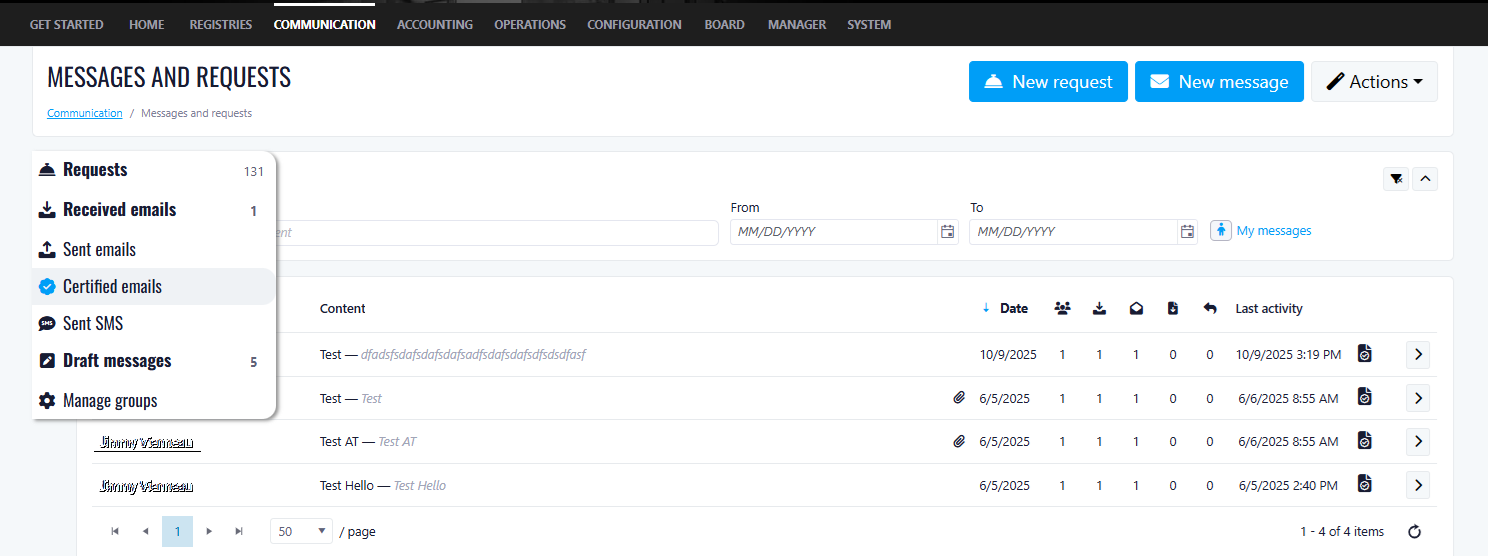
How to Access: As a Manager, navigate to the Messages, you will see a Certified emails tab.
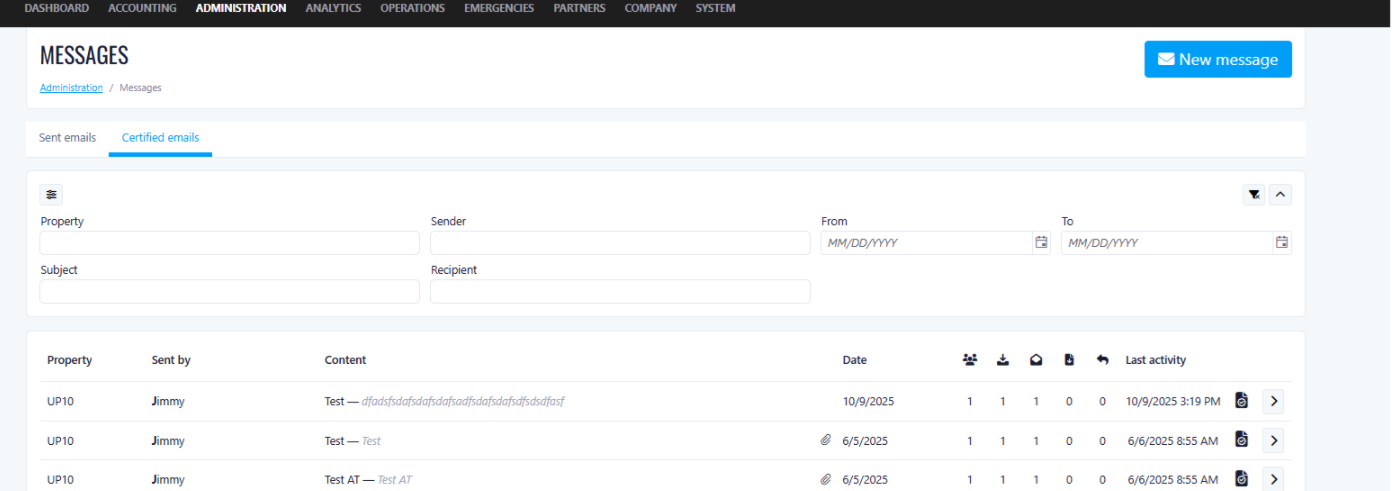
Lease-Level Receivable Account Selection
Some tenants don’t pay the full rent themselves. For example, if rent is $1,000, the tenant might pay $400 and a government housing authority pays the remaining $600.
In the past, the system bills the full $1,000 to the tenant, which makes it difficult to clearly track what the tenant owes versus what the government owes.
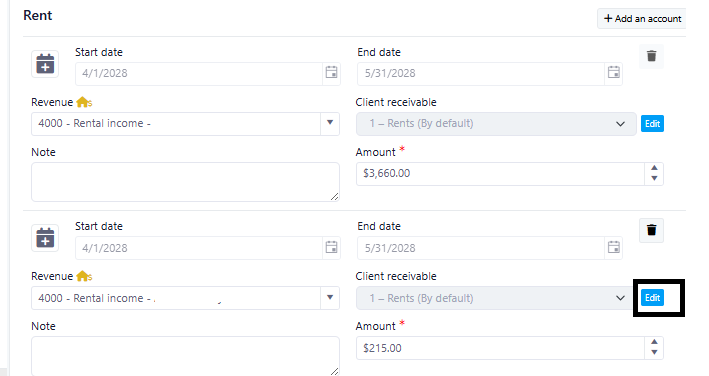
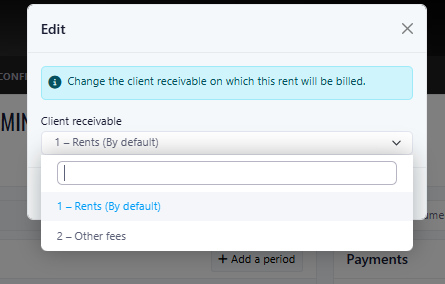
New Feature: In the lease, let the user choose who gets billed by selecting the receivable account.
Example (Rent = $1,000):
-
Bill the tenant $400 to the Tenant receivable account
-
Bill the government $600 to the “Subsidy” receivable account
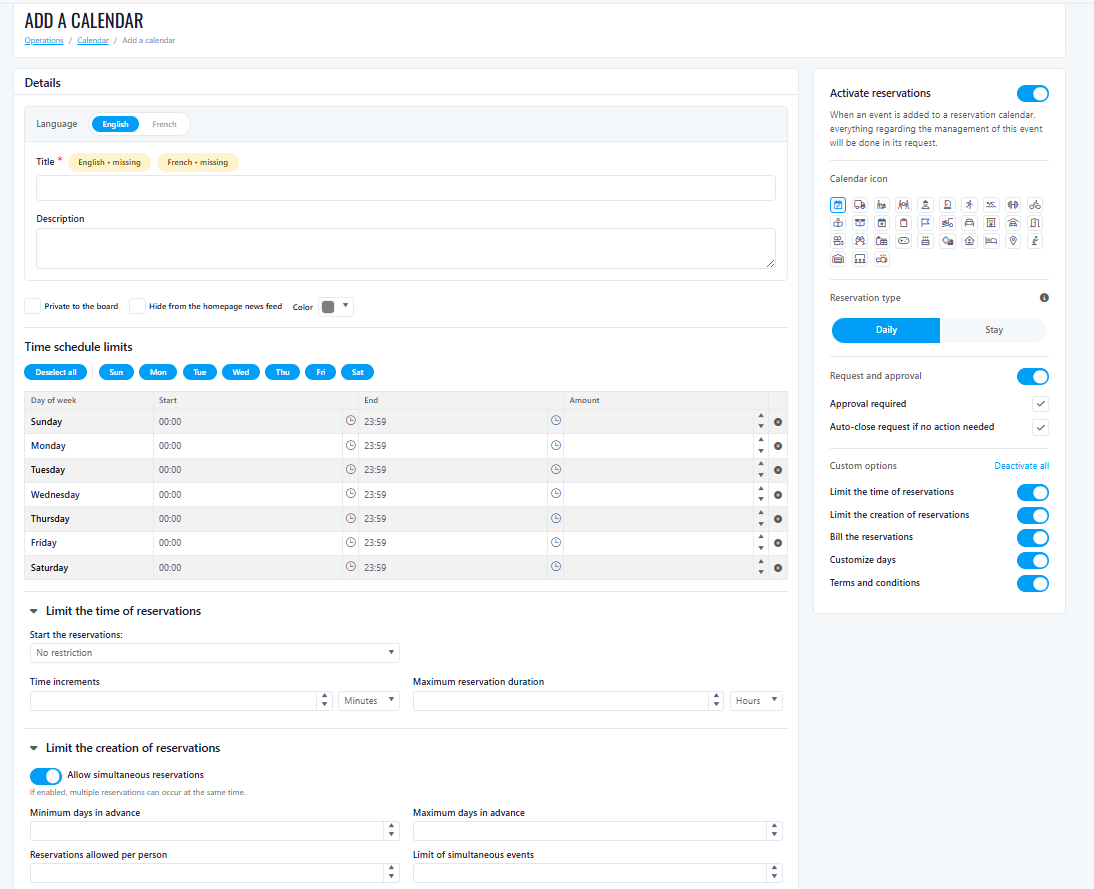
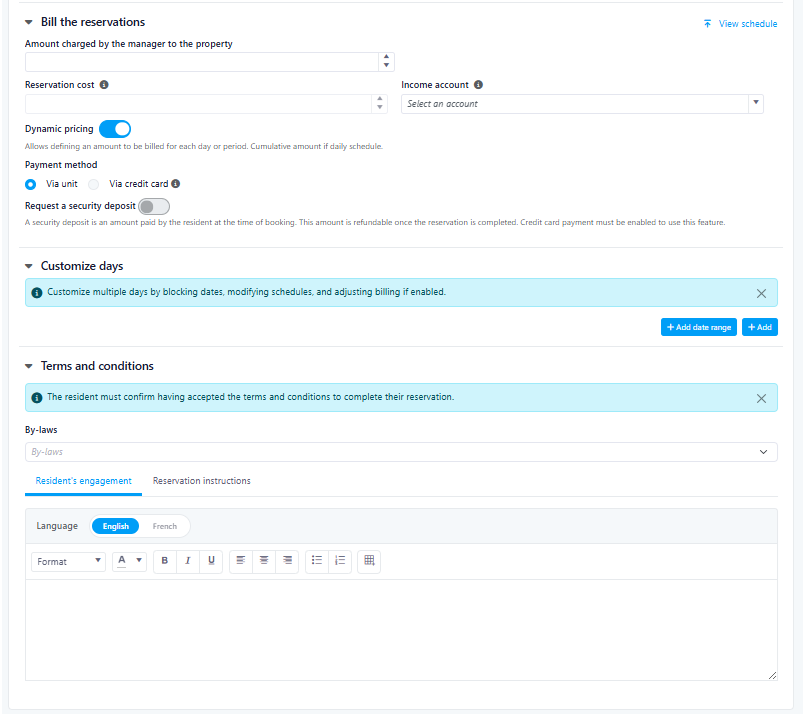
New Reservation Creation Page
We’ve launched a redesigned Reservation Creation page to make booking faster, clearer, and easier on all devices.
What’s new
-
Multi-language support: The page now displays in the same language as your Portal settings.
-
Improved navigation: A cleaner layout that’s easier to follow from start to finish.
-
Mobile-friendly design: Optimized experience for phones and tablets.
Coming soon
-
Reservation templates (coming soon)
-
Deposits (coming soon)
Release week of 2025-12-14
New Features
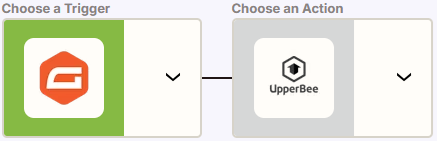
New Automations for UpperBee
Who’s impacted: Rental Property Managers using Zapier automations
What’s new
* Updated action in Zapier
Create Rental Lead
-
New field for an External ID (e.g., a Salesforce identifier).
-
New field to add notification email addresses when the rental lead is created.
-
Supports multiple emails.
-
Emails must be separated by a semicolon (
;).
-
* New triggers in Zapier
-
External Rental Lead: Rental Inquiry Completed
-
External Rental Lead: Lease Signed
-
External Rental Lead: Lease Ended
-
External Rental Lead: Lease Renewal Status Updated
All new triggers are linked to the updated Create Rental Lead action.
To receive data from these triggers, the created rental lead must have an External ID.
How to set it up in Zapier
-
In Zapier, create a new Zap and choose UpperBee.
-
Select your Trigger (e.g., External Rental Lead: Rental Inquiry Completed) or Action (e.g., Create Rental Lead).
-
Connect your UpperBee account and select the correct Company.
-
Map the fields for your integration and publish your Zap.
-
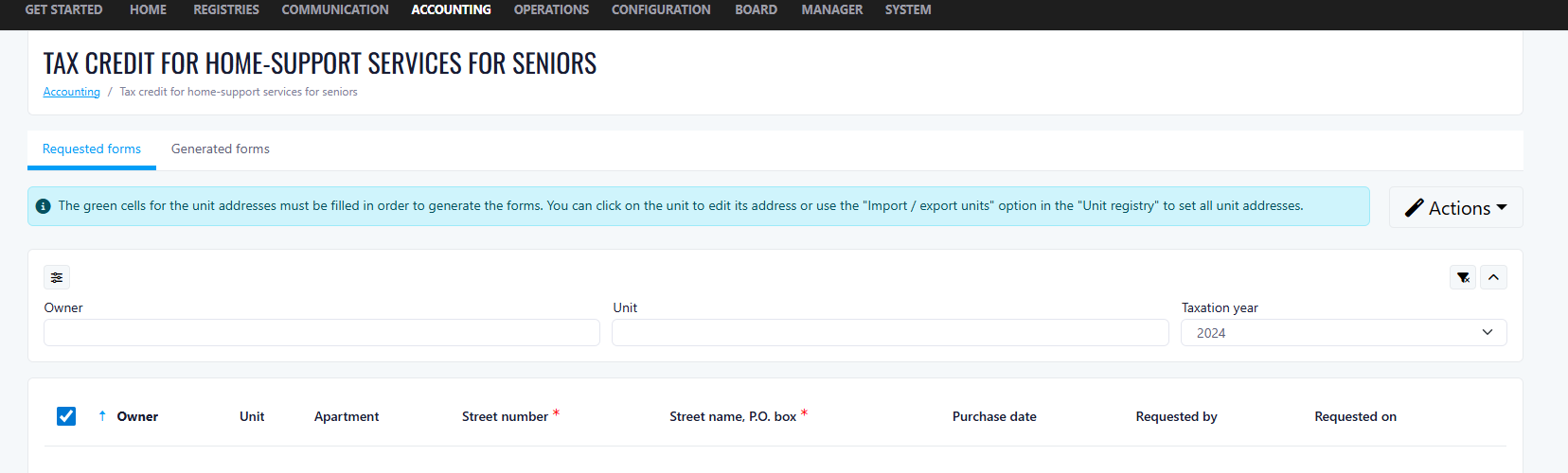
Tax Credit – Home-Support Services Tracking (Seniors)
Property Managers can now track home-support services tax credit forms at the property level, making it easier to manage compliance and historical records year over year.
What’s New
- Year-based form tracking to see which tax credit forms have been processed for each year
- “Generated forms” tab to view previously completed forms, while the Claims tab, is displaying unprocessed ones
- Year filter to quickly access historical records
Benefits
- Better visibility on processed tax credit forms
- Easier year-over-year tracking for audits and compliance
- Centralized access to historical documentation
Last Page Only Email Delivery
Benefits:
- Clients receive only the information relevant to them, reducing confusion from multi-page documents they don't need to act on
- Reduces risk of exposing unnecessary internal or administrative pages to end clients
- Cleaner, more professional client communication
- Faster for persons of advanced age to find and review the page that requires their attention
-
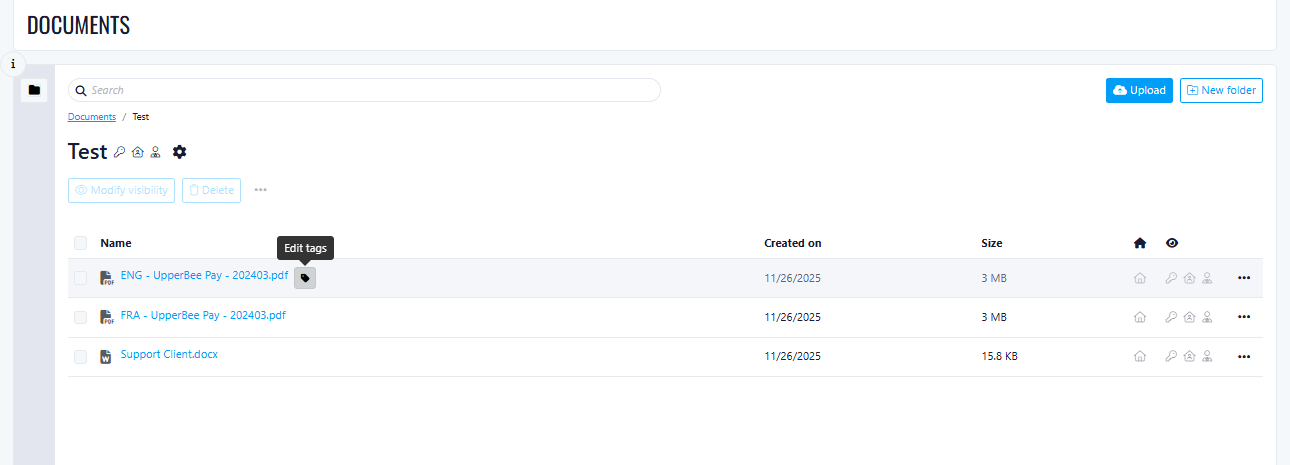
Tags & Expiration Dates for Documents
We’ve added Tags and Expiration Dates to the Document Folder area to help you better organize, search, and manage your files.
Tags for folders and files
You can now add one or more tags to both folders and individual documents. Tags make it easier to classify content (e.g., Contracts, Insurance, Invoices, Legal) and quickly find what you need.
Expiration dates
Set an expiration date on files or folders to track documents that require renewal or review. This is especially useful for time-sensitive documents such as insurance policies, permits, and legal agreements.
Benefits
-
Faster document search and filtering using tags
-
Better organization across large document libraries
-
Improved compliance and risk management with expiration tracking
-
Reduced chance of using outdated documents
How It Works
-
Add or edit tags directly from the folder or file details
-
Assign an optional expiration date when uploading or editing
-
Expired documents remain visible but are clearly identified
Improvements
- Improved checkbox visibility:
- Default selection enabled:
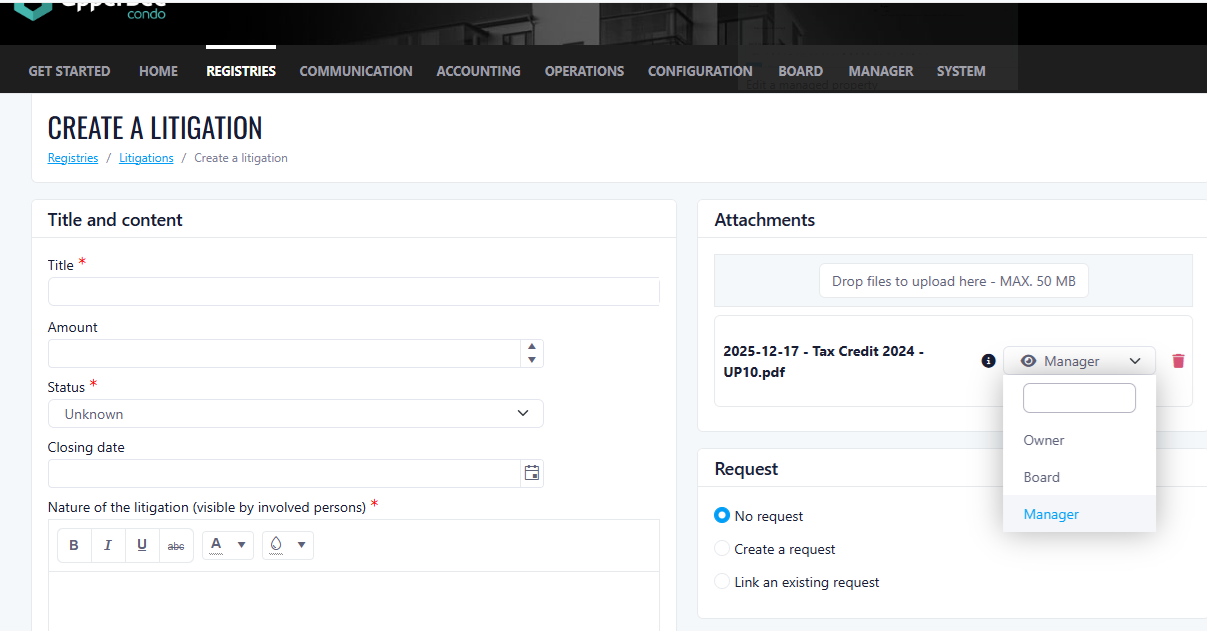
Internal-Only Attachments for Litigation Files
Property Managers can now upload attachments to a Litigation file and restrict visibility so the documents are only accessible to internal users. This helps keep sensitive legal documents organized and protected.
What’s New
-
Add attachments to a Litigation file
-
Internal visibility only (attachments are not visible to external users)
Access Options
When adding an attachment, Property Managers can select who it applies to:
-
Board
-
Co-owners
-
Managers
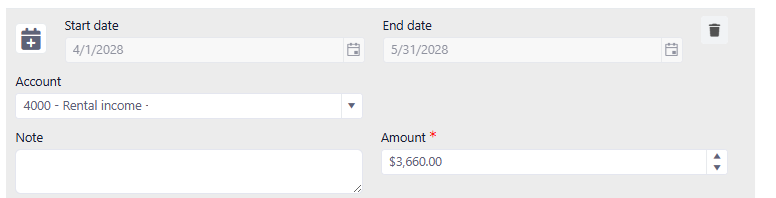
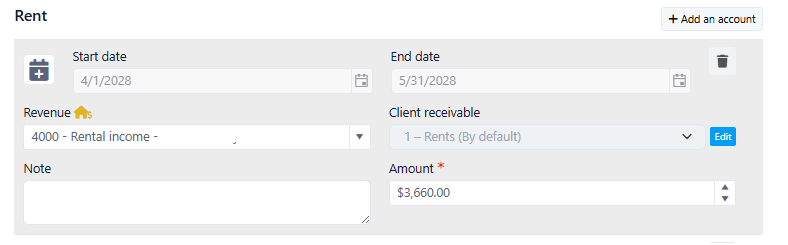
Lease-Level Receivable Account Selection
Some tenants don’t pay the full rent themselves. For example, if rent is $1,000, the tenant might pay $400 and a government housing authority pays the remaining $600.
In the past, the system bills the full $1,000 to the tenant, which makes it difficult to clearly track what the tenant owes versus what the government owes.
New Feature: In the lease, let the user choose who gets billed by selecting the receivable account.
Example (Rent = $1,000):
- Bill the tenant $400 to the Tenant receivable account
- Bill the government $600 to the “Subsidy” receivable account
Before:
After:
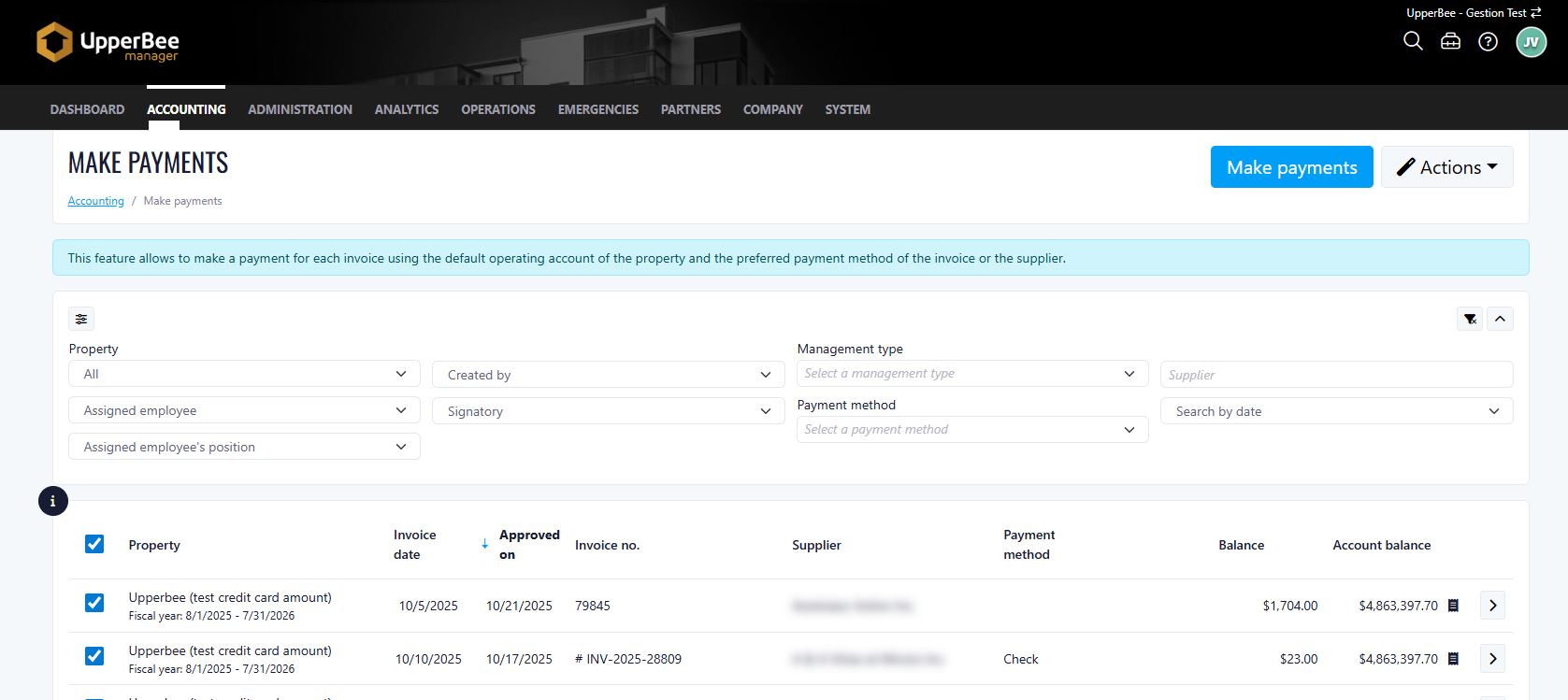
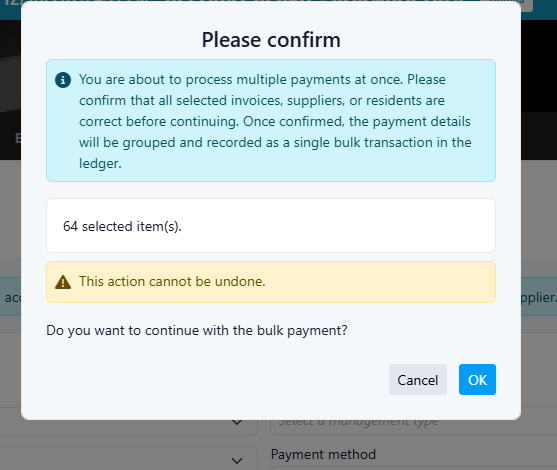
Bulk Payment Confirmation Prompt
- Clear notification that multiple payments are being processed simultaneously
- A request to verify all selected invoices invoices, suppliers, or residents are correct.
- Warning that payment details will be grouped and recorded as a single bulk transaction
- Important note that this action cannot be undone
- Confirmation to proceed with the bulk payment
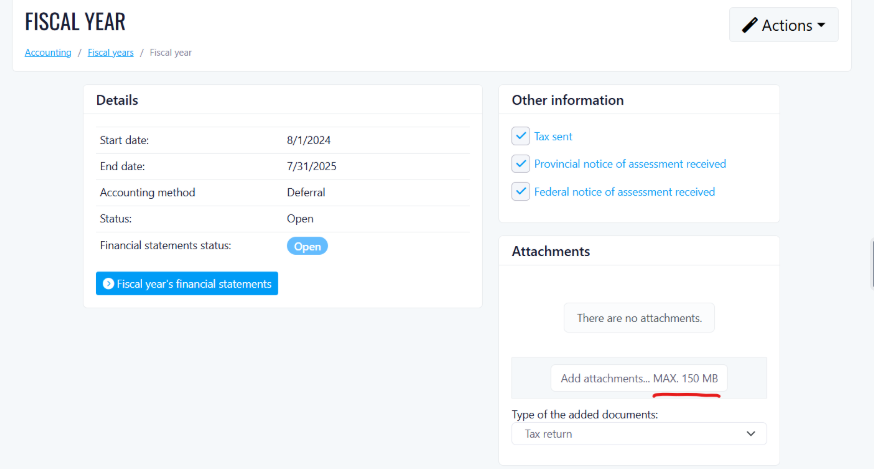
Storage Limit Increase
Release week of 2025-12-21
New Features
Tracking Units for Purchase Orders
- Select one or multiple units when creating or editing purchase orders
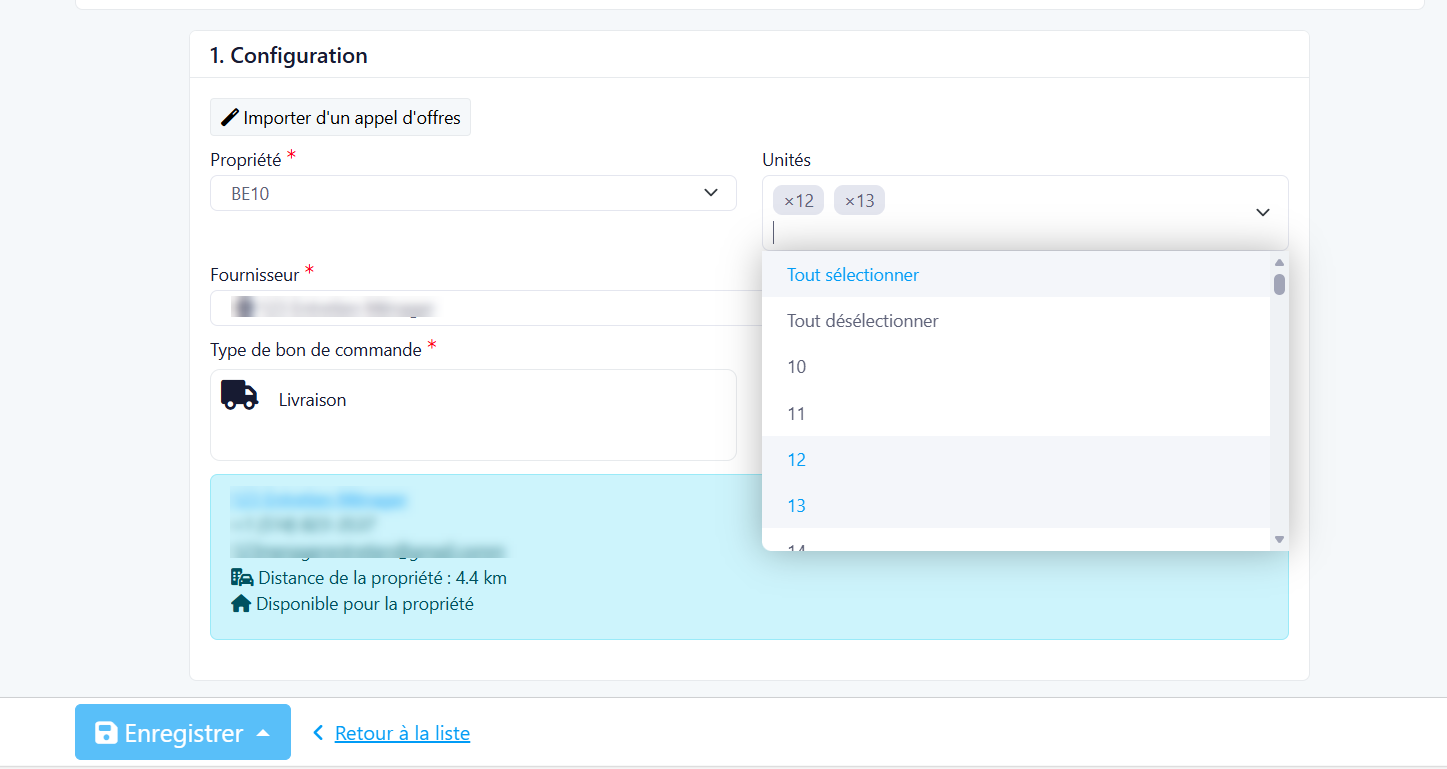
- Automatically loads all units associated with the selected property
- No requirement to select units if not needed
- New 'Units' column included included in all purchase order exports
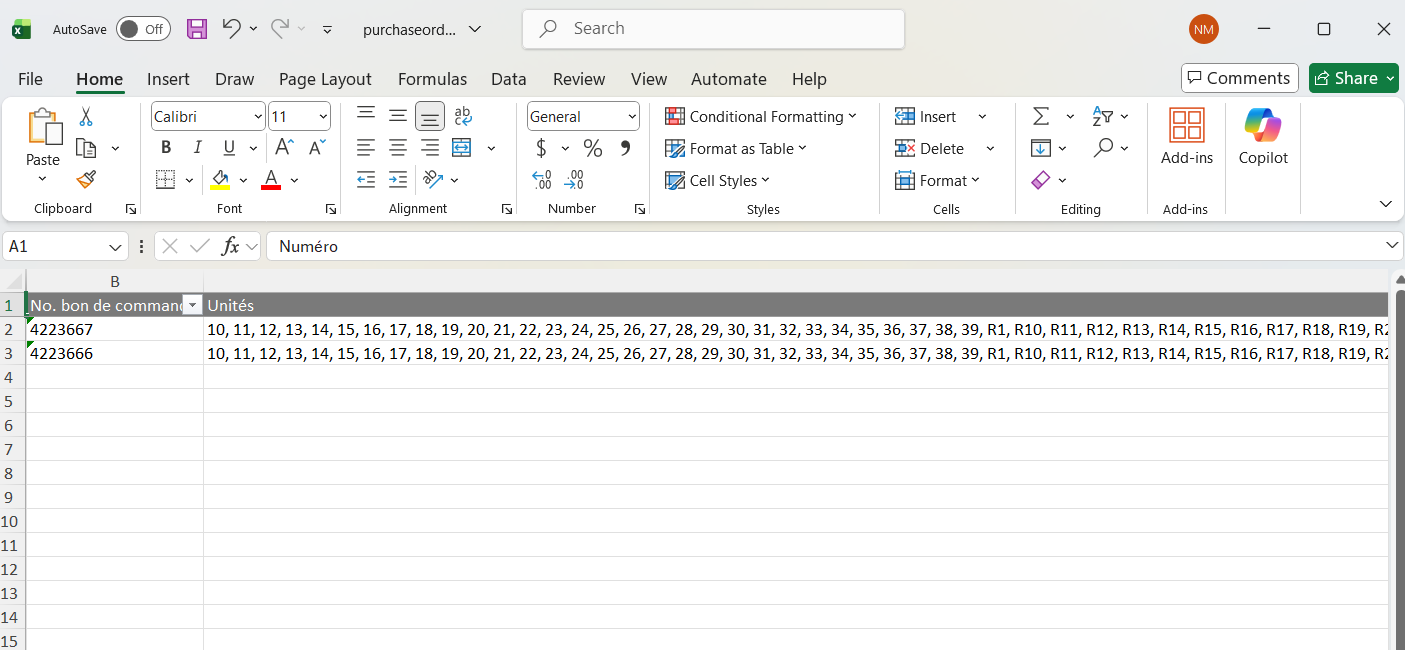
- Multiple units are displayed on a single line
- Easily track which unit(s) each expense relates to
- Filter purchase orders according to specific unit(s)