Update
Overview
This release introduces significant enhancements to the Billable Hours Dashboard, including additional data columns and new summary table charts. These improvements provide greater visibility into billable hour performance, enhance reporting capabilities, and allow users to access key information more efficiently.
Previous Experience
Previously, the Billable Hours section displayed a limited number of columns, restricting the amount of information available directly within the dashboard view.
What's New
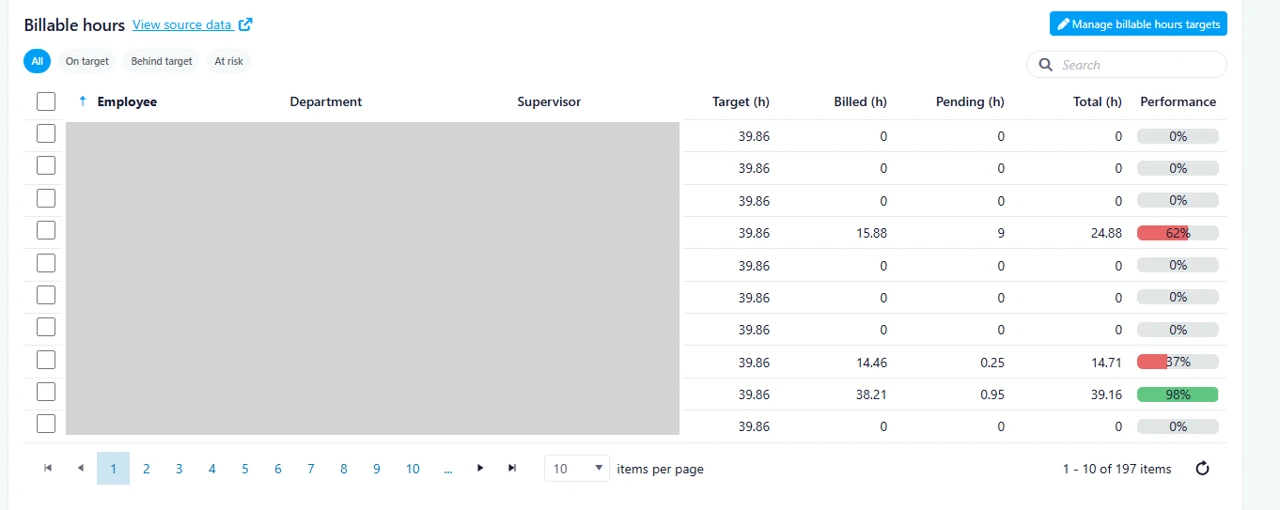
With this release, the Status column has been removed to optimize the layout and accommodate the following new columns:
- Supervisor
- Target
- Billed
- Pending
- Total
In addition, users can now select the number of records displayed per page using the new Items Per Page dropdown.
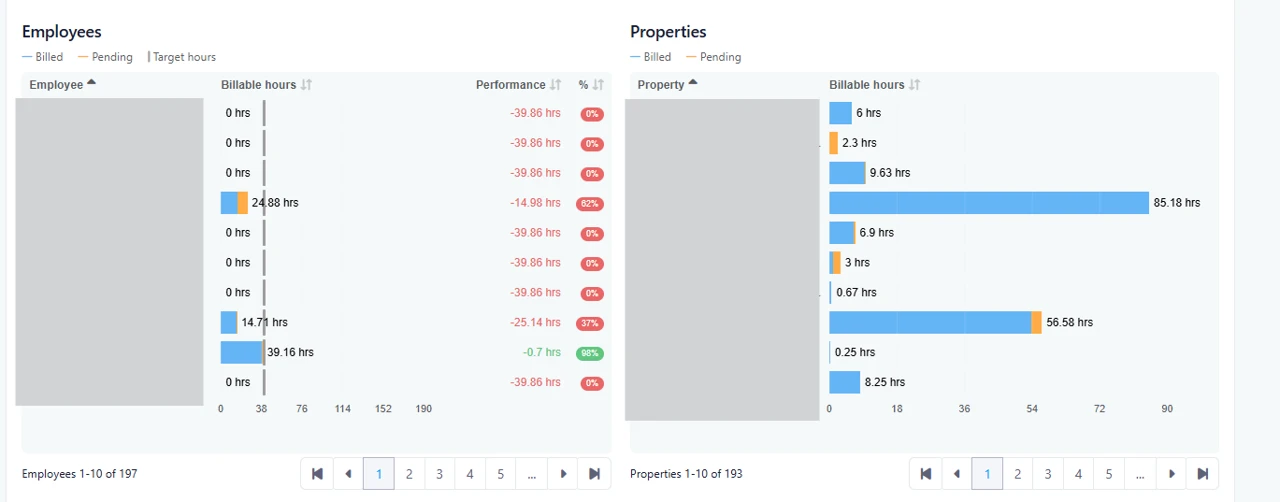
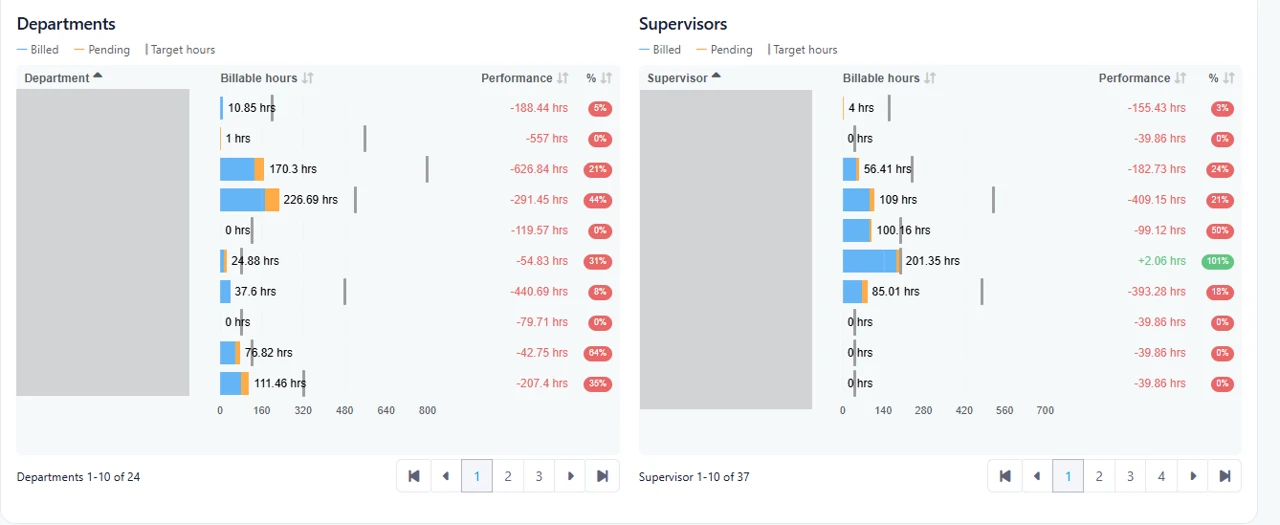
To further enhance reporting and analysis, three new summary table charts have been added:
- Departments
- Properties
- Supervisors
These additions provide users with a more comprehensive view of billable hour data across different organizational dimensions.
How It Works
The overall workflow and user experience remain unchanged. Existing navigation and functionality continue to operate as before, with the added benefit of enhanced visibility and reporting options.
Where to Find It
This feature is available in:
Dashboard > Billable Hours
Note: The Billable Hours Dashboard must be enabled within the employee profile to access this feature.
To access:
- Navigate to Dashboard from the main menu.
- Select Billable Hours.
Benefits
- Enhanced Visibility: View critical performance metrics such as targets, billed hours, pending hours, and totals directly from the Billable Hours dashboard.
- Improved Analysis: New Department, Property, and Supervisor summary charts provide deeper insights into operational performance and resource allocation.
- Greater Efficiency: The customizable Items Per Page option and expanded data view reduce the need for additional navigation, helping users find information more quickly.