
Mise à jour
Overview
This release introduces the ability to import building regulations through a preformatted Excel file, designed to significantly reduce the time and effort required to integrate regulations into condominium portals.
Past State
Previously, regulations had to be entered manually, one regulation at a time. This process was time-consuming, increased the risk of transcription errors, and slowed down the setup of new buildings.
What's New
With this release, administrators can now import a complete set of regulations using a standardized Excel file generated from a regulation document. This greatly accelerates the creation and management of regulation registers within the portal.
How It Works
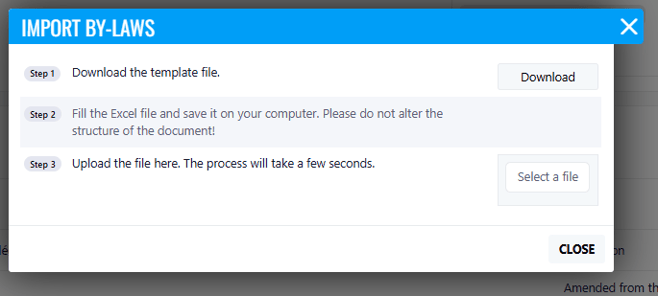
The new process allows regulations extracted from a source document to be structured in a standardized Excel format. Once the Excel file is prepared, users can import it directly into the regulations register, automatically creating all regulations, articles, and sections in the portal.
Where to Find It
You can find this feature in: Condominium Portal > Registries > By Laws
To Access It
- Navigate to Registries - By Laws.
- Select the Import Regulations option.
- Upload the preformatted Excel file and complete the import.
Benefits
- Significantly reduces the administrative effort required to create regulation registers.
- Standardizes regulation imports across all condominium portals.
- Minimizes manual entry and transcription errors.
- Accelerates onboarding and setup of new properties.
- Simplifies future regulation updates.
Important Notes
- The Excel file must follow the required import template structure.
- Imported regulations will respect the standardized format used by the portal.
- Users should review imported content after completion to ensure accuracy.