
Release notes for March 2026
Modified on Thu, 28 May at 10:52 AM
Release Notes
First Week Of The Month
New Features
Taxes Display
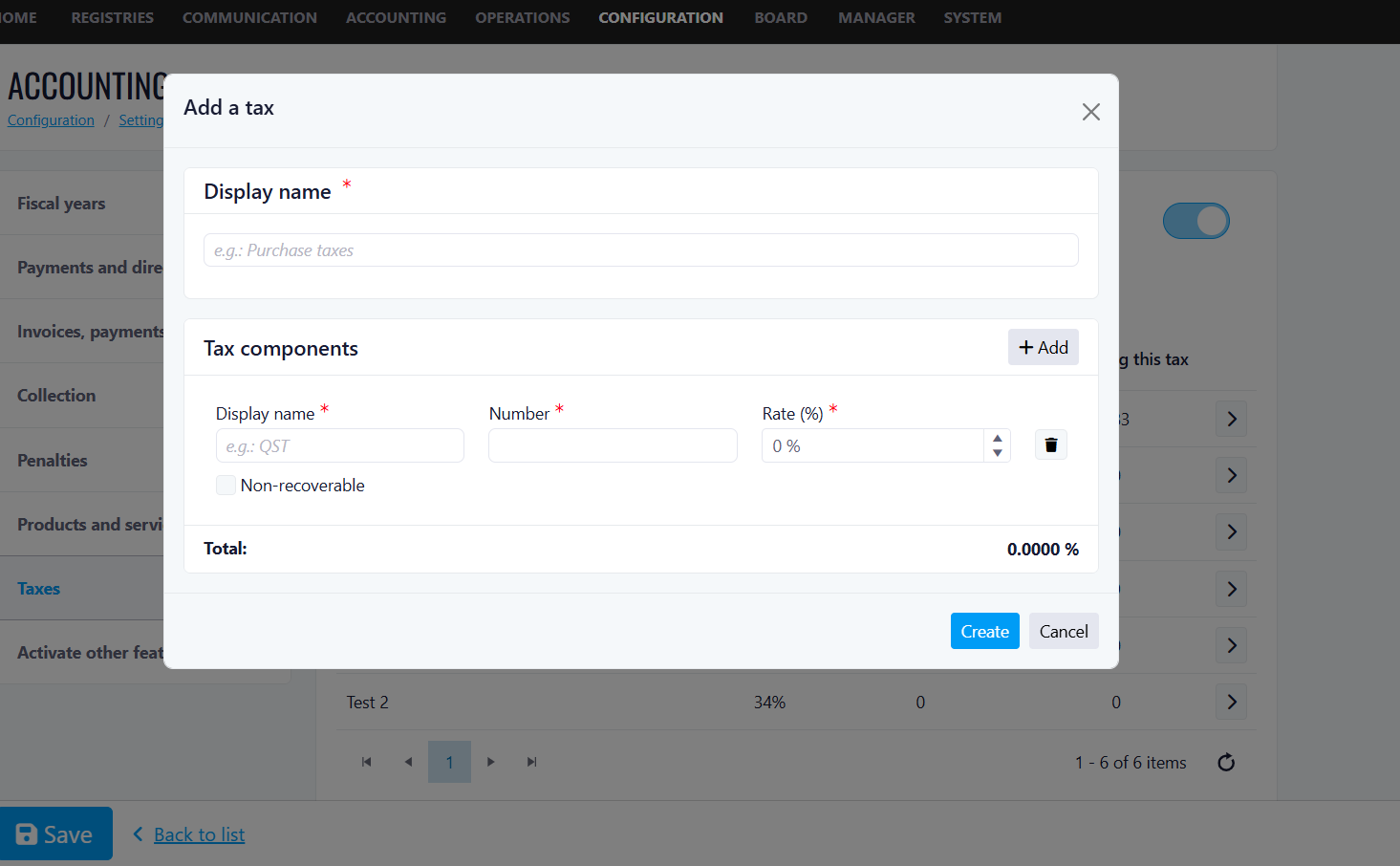
How to Use:
Benefits
- Regulatory Compliance
- Improved Reporting
- Audit Trail
- Better Customer Transparency
EV/Notes Vehicle Label Feature
Energy Type Field
Benefits
- Quickly identify which vehicles require EV infrastructure.
- Avoid confusion about vehicle types.
- Maintain accurate records for compliance and planning.
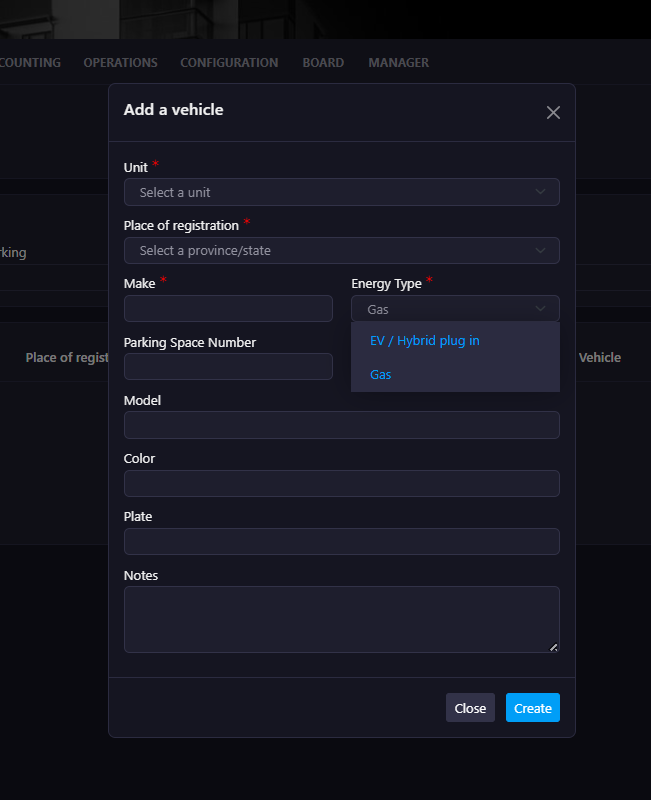
EV Plug ID
Benefits
- Clearly link EV vehicles to specific charging plugs.
- Prevent disputes regarding charger usage.
- Simplify coordination with EV charging providers.
- Improve transparency with owners and tenants.

Parking Space Assignment
Benefits
- Easily verify which vehicle belongs to which space.
- Improve enforcement and monitoring.
- Simplify communication with residents.
Vehicle Notes
Example Uses:
- Confirm real EV ownership.
- Record special permissions or exceptions.
- Add internal management comments.
- Track temporary situations.
Benefits:
- Maintain contextual information directly within the vehicle record.
- Reduce reliance on external spreadsheets or manual tracking.
- Improve internal communication within the management team.
 List View Enhancements
Benefits
- Instantly identify all EV vehicles in the building.
- Quickly filter and review EV ownership.
- Support EV infrastructure planning and capacity decisions.
- Improve operational efficiency when reviewing records.
Improvements
Add Accounting Number To Drop Down
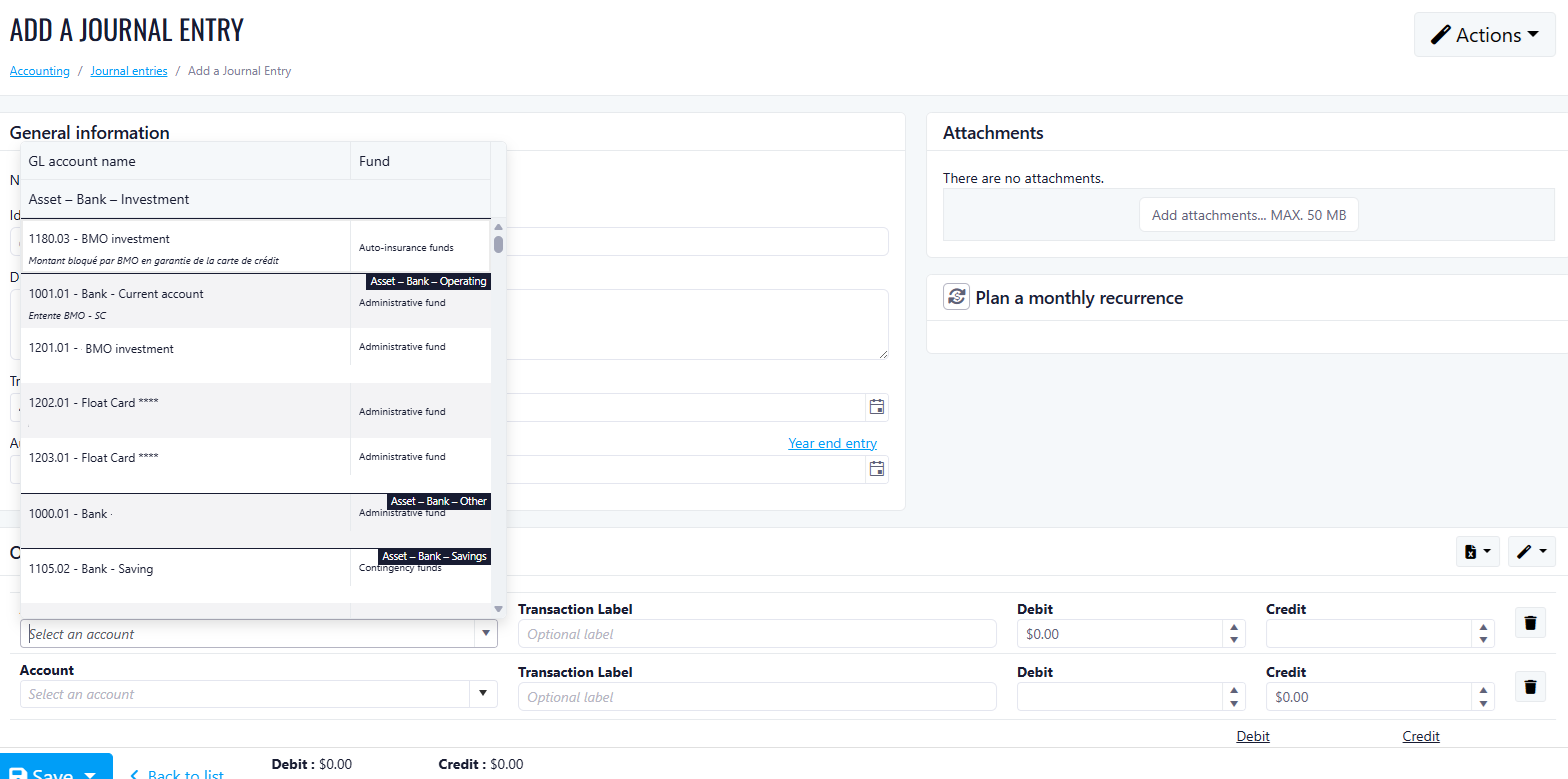
What's New
- Account number is now automatically added to the Account dropdown when a new client account is created.
- Journal Entry is attached to debit/credit for validation before saving.
- Multiple line items per journal entry are fully supported with dynamic row addition.
- Line item debit and credit additions are now added
- Debit/Credit difference is displayed at the bottom of the page
Second Week Of The Month
New Features
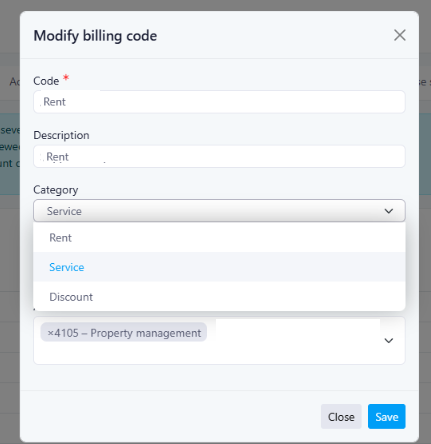
Improved Rent Configuration for Base Rent and Services
“Included in Rent.”What’s New
1. Base Rent or Service (Category)category- Rent
- Service
- Discount
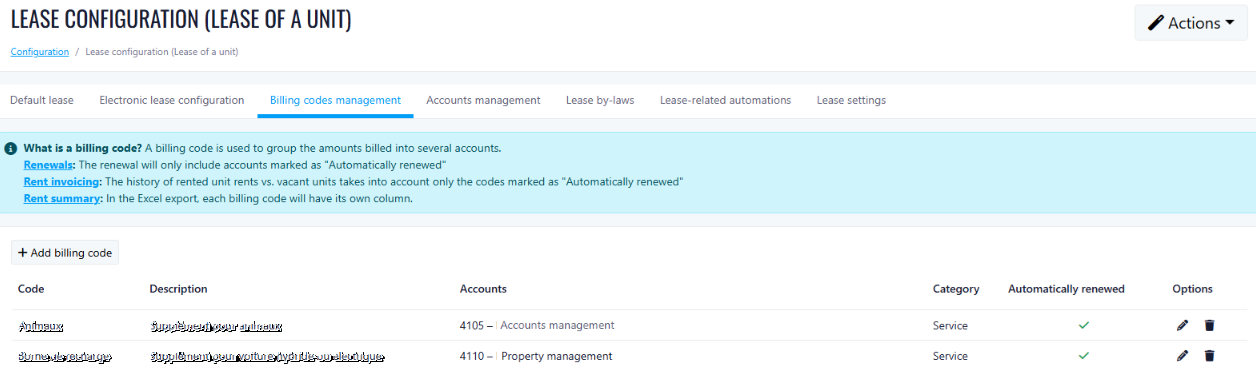
 2. Auto-Renew (Carry Over to the Next Billing Period)
automatically continue when the lease renews or the billing period changes
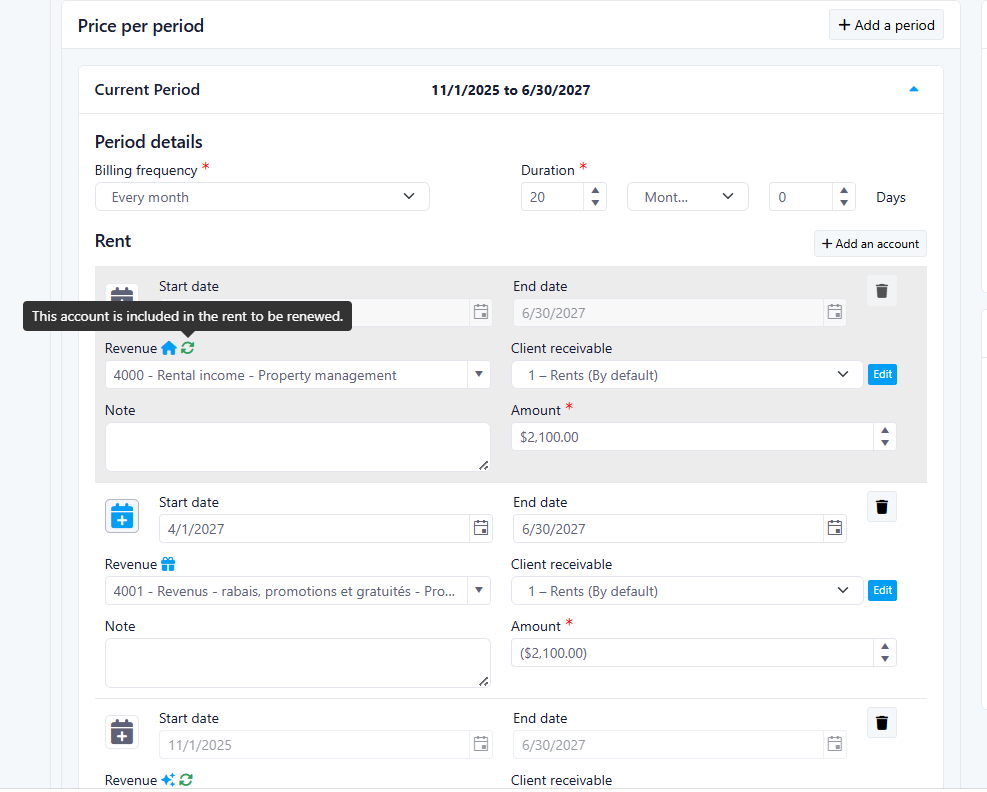
Automatic Migration
Tables can't be imported directly. Please insert an image of your table which can be found here.
existing leases keep the same behavior as beforeImportant:RentService
Lease Interface Updates
Renewal Logic Simplification
simplified
Benefits
- Clear distinction between rent, services, and discounts.
- Greater control over charges that carry over to future billing periods.
- Simplified and clearer renewal logic.
- Improved transparency for property managers.
Special Charges Update
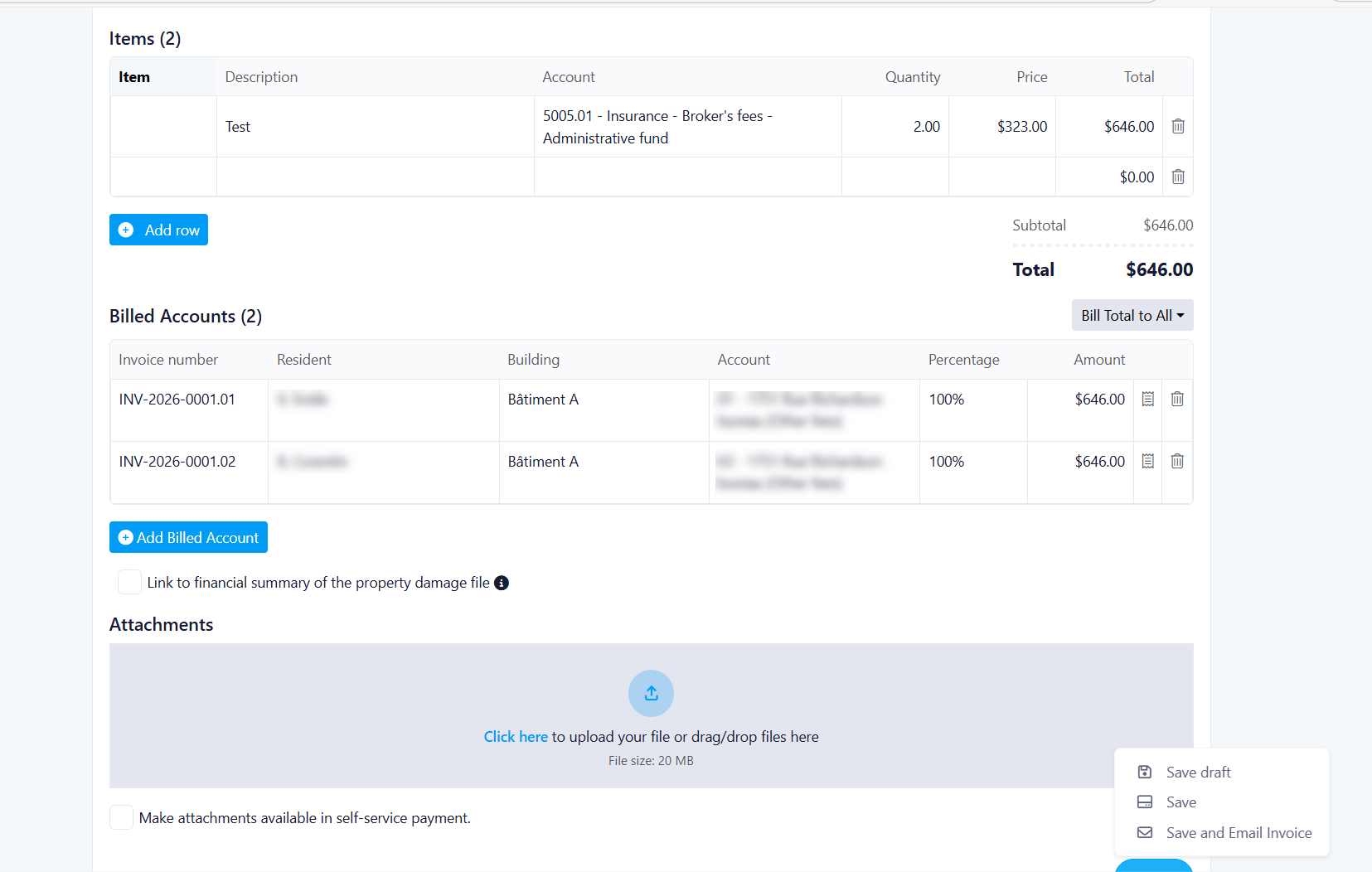
What’s new
-
Auto-generated invoice numbers
-
Editable issue date and identifier field
-
Up to 20 invoice line items
-
Custom items or reusable saved items
-
Creditor and tax selection for each line item
-
Support for third-party billing
Billing improvements
-
Bill one resident for the full amount
-
Split charges equally across selected residents
-
Enter custom amounts for each resident
-
Real-time validation confirms totals are correct
-
Small rounding differences are applied automatically to the first billed account
Invoice tools
-
Real-time invoice preview before sending
-
Unique invoice number for each billed resident
-
Invoice PDF export after saving
-
Attachment support using existing business rules
Save options
-
Save as Draft
-
Save without email
-
Save and Email with confirmation popup
Benefit
This update gives property managers more flexibility, better visibility, and improved accuracy when managing special charges.
Benefits:
-
Flexibility: Support for multiple billing scenarios (single, equal split, custom split)
-
Transparency: Clear preview of invoices before sending
-
Accuracy: Real-time validation ensures correct charge allocation
-
Efficiency: Draft saving allows work-in-progress management
-
Control: Property managers can customize amounts per resident
Special Charges Detailed Update
Event Creation Popup
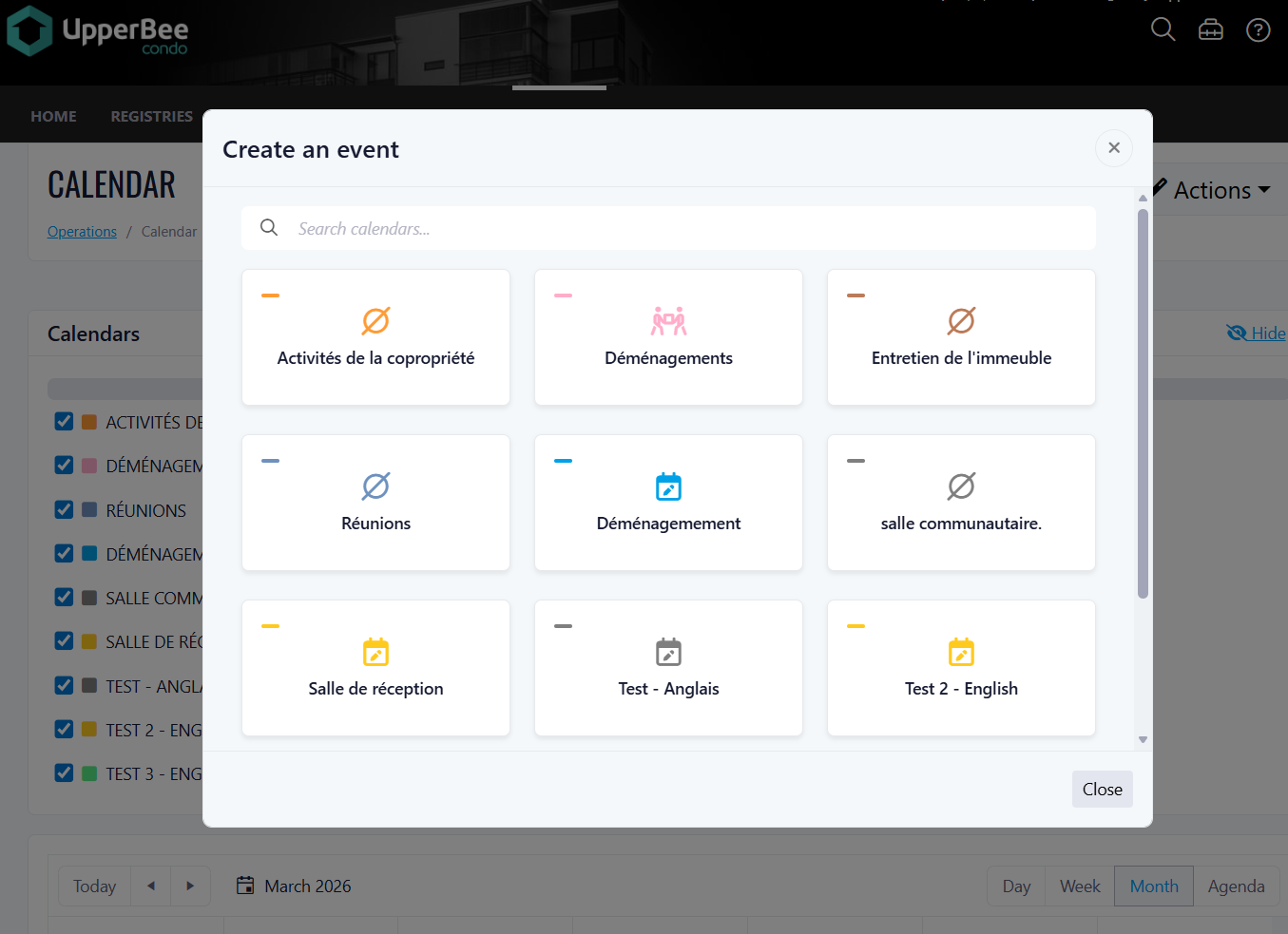
What's New
Redesigned Event Creation Popup
Calendar Cards
Search & Filter Bar
Smart Redirects Based on Calendar Type
Access & Backward Compatibility
Dashboard V1: Manager Level ( BETA )
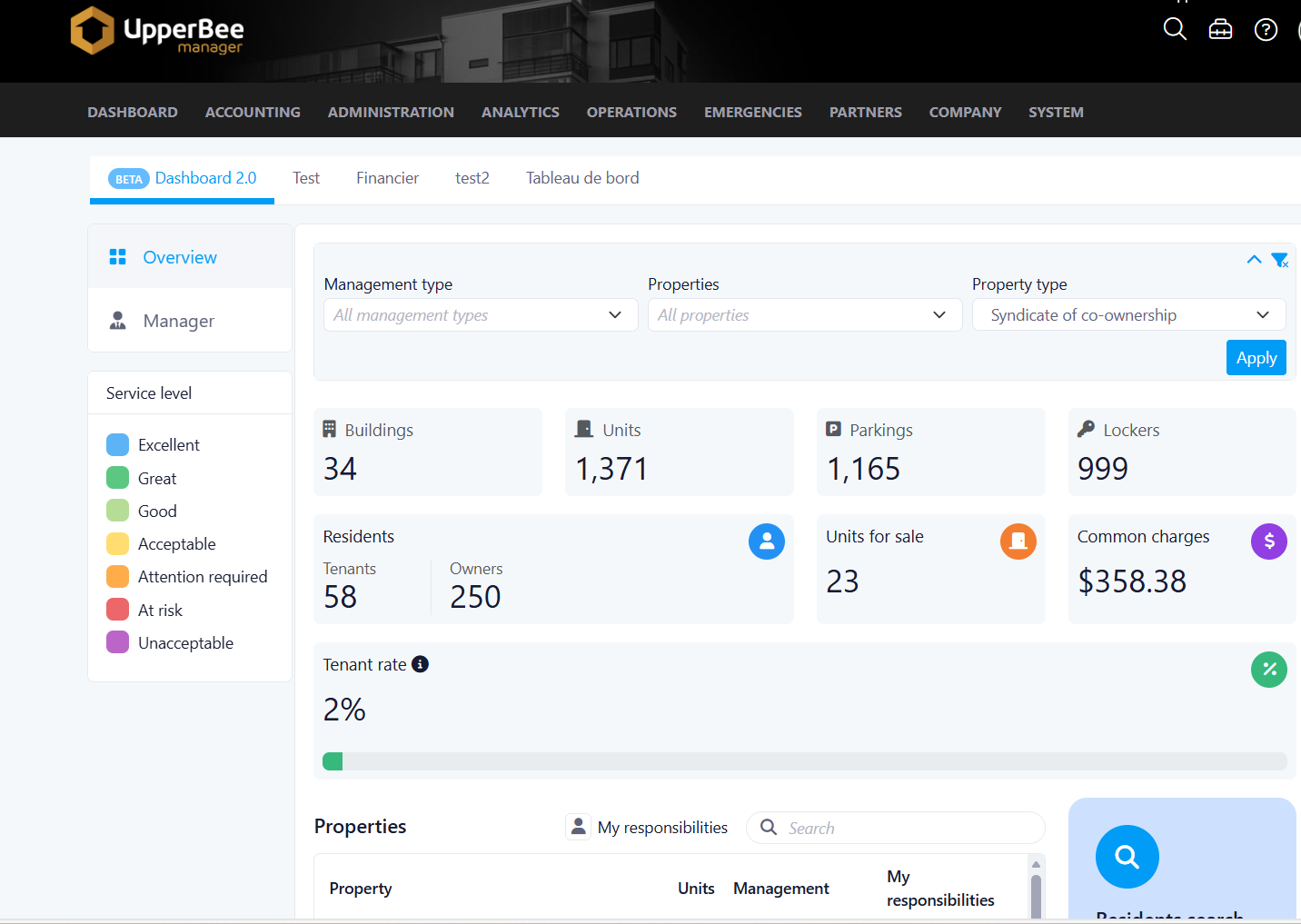
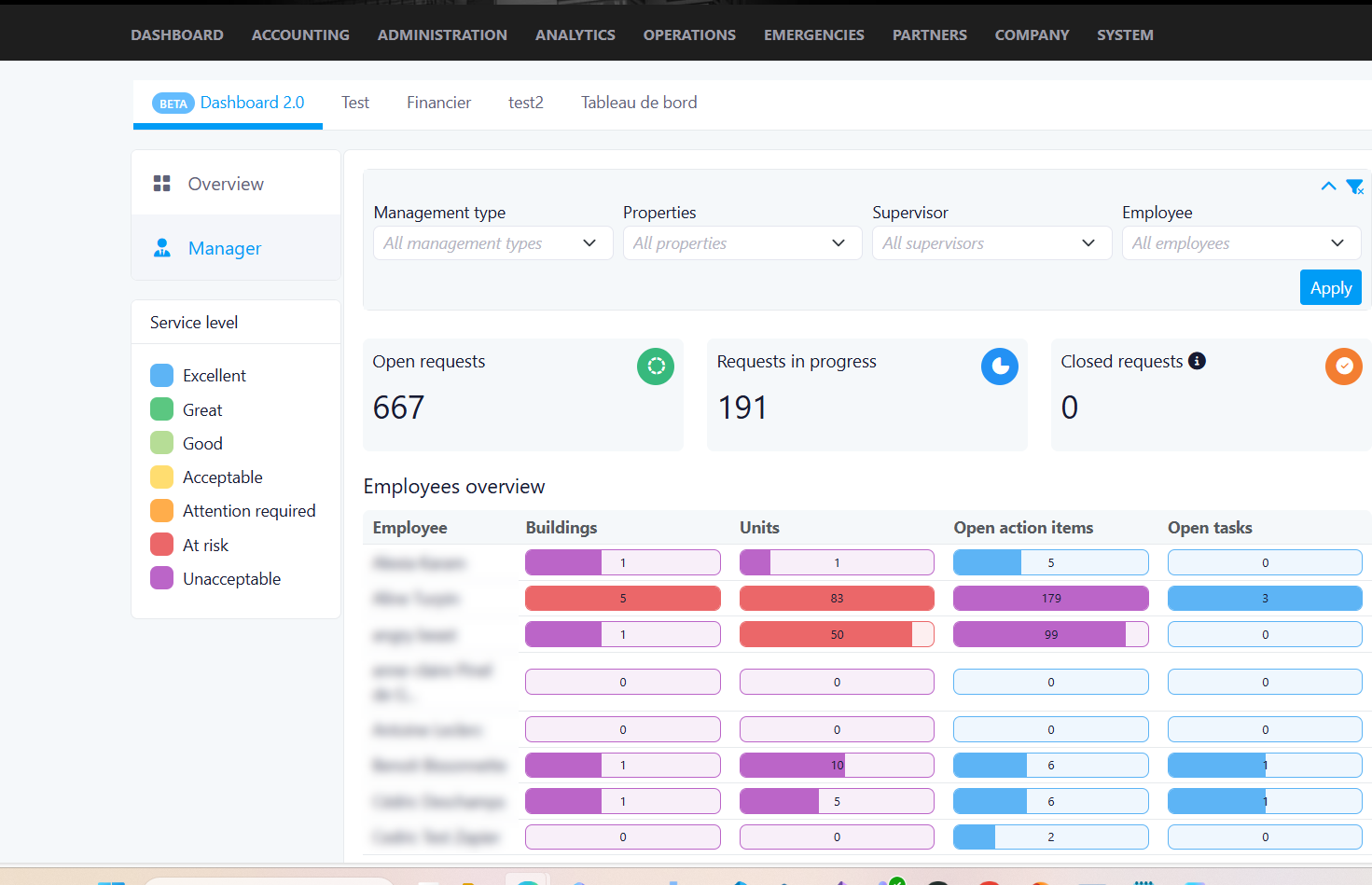
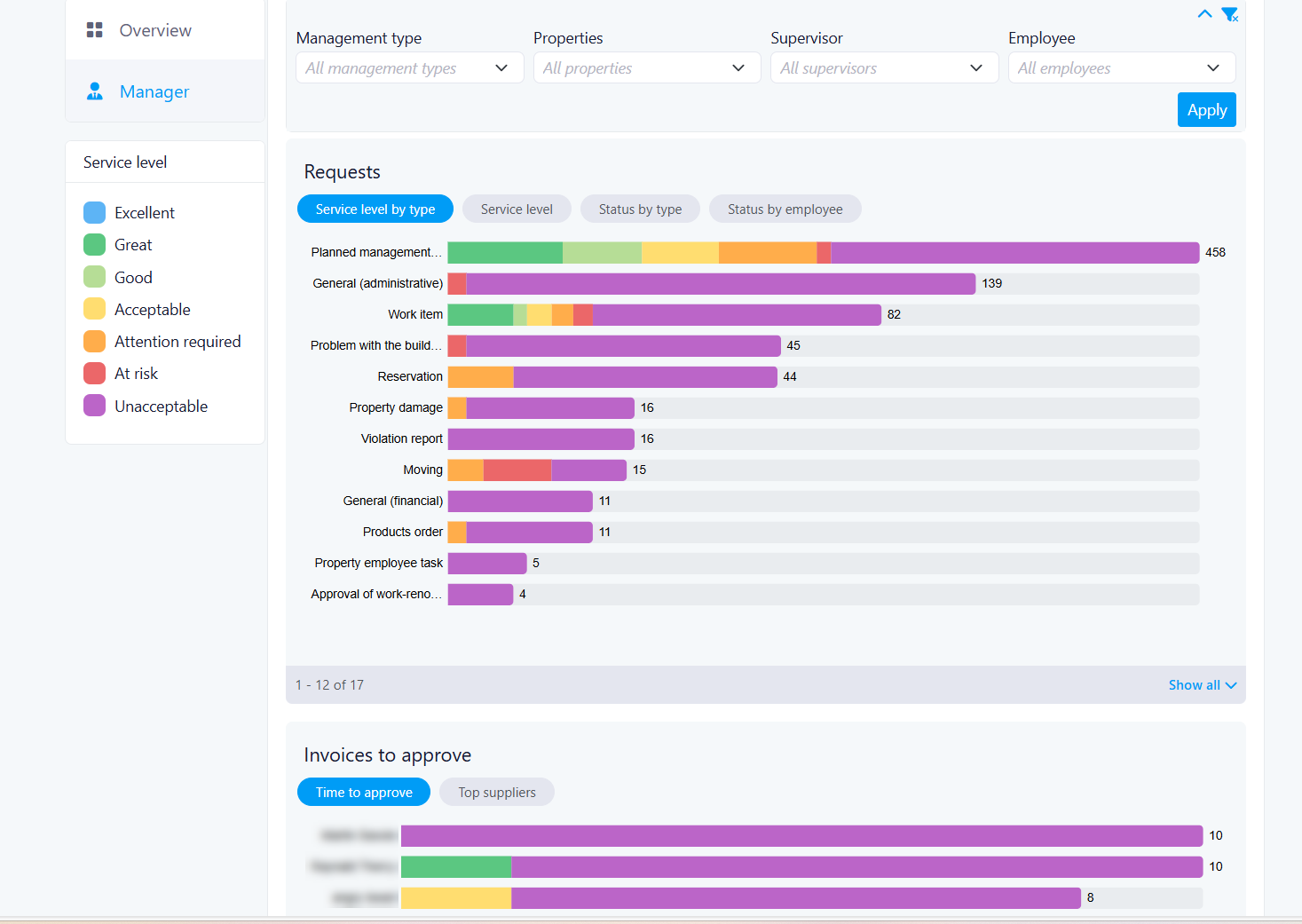
Goal
- Key objectives: Consolidated dashboard with key metrics from all properties, with built-in filters to switch between them
- Real-Time Status Snapshots: Focused on current operational status
- Cross-Property and Employee Comparison: Compare employee performance within a single property using filtering capabilities
- Access Control Management: Managers can grant or remove dashboard access on a per-user basis
Giving Access
Users navigate between the following dashboard pages:
Benefits
Types of Dashboards in V1
Manager Dashboard:
-
Related to staff and operations across all properties. Staff Management is pre-filtered by the user to see which operations are due
-
Overview of operations by group/individual per property. Can select one or multiple properties. Can filter by group of employees.
-
Benefit for users:
-
Having specialized dashboards means each user sees a view relevant to their role — managers get staff performance insights, while all users get a clean property-level overview without clutter or irrelevant data.
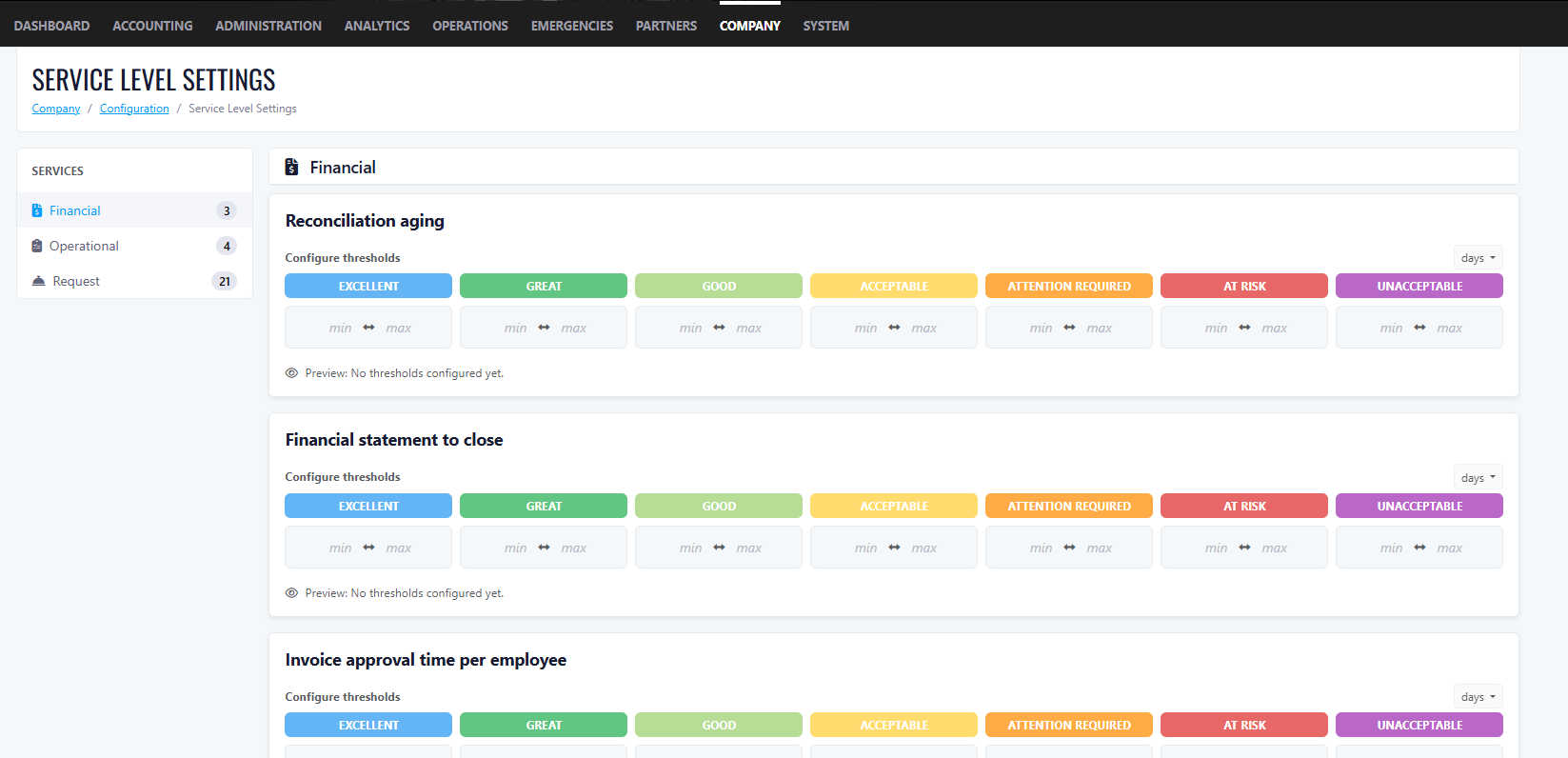
Service Level Settings (SLS)
-
Values apply across all properties (universal settings)
-
Values are numbers only. Units are Days or QTY; no letters allowed.
-
The Company Owner must configure values from the configuration page
-
Not all dashboard metrics require SLS numbers.
-
If no SLS values are configured on first login, the dashboard will still display data but with only 1 colour
-
Users can have a 0 value between ranges.
Benefit for users:
Overview Dashboard
- Default for all users.
- Users can filter by Property, which dynamically updates all numbers. Default shows all buildings.
Benefit for users:
Filter Options
Rental KPIs (Boxes)
Condo KPIs (Boxes)
Benefit for users:
Bottom of Page (Both Rental & Condo)
Benefit for users:
Manager Dashboard
Filters
Benefit for users:
KPI Boxes
Benefit for users:
Metrics
Number of buildings managed by employeeNumber of units per employeeAction ItemsTask ItemsOpen Ticket By StatusOpen Ticket Status By EmployeeInvoices to ApproveImprovements
SMS – Change Phone Number to Improve Deliverability
We updated the phone number used for SMS sending to help improve message deliverability and reliability.
Improved Quick Links Navigation
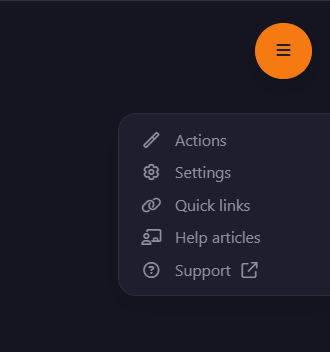
Quick Links menu
Key Improvements
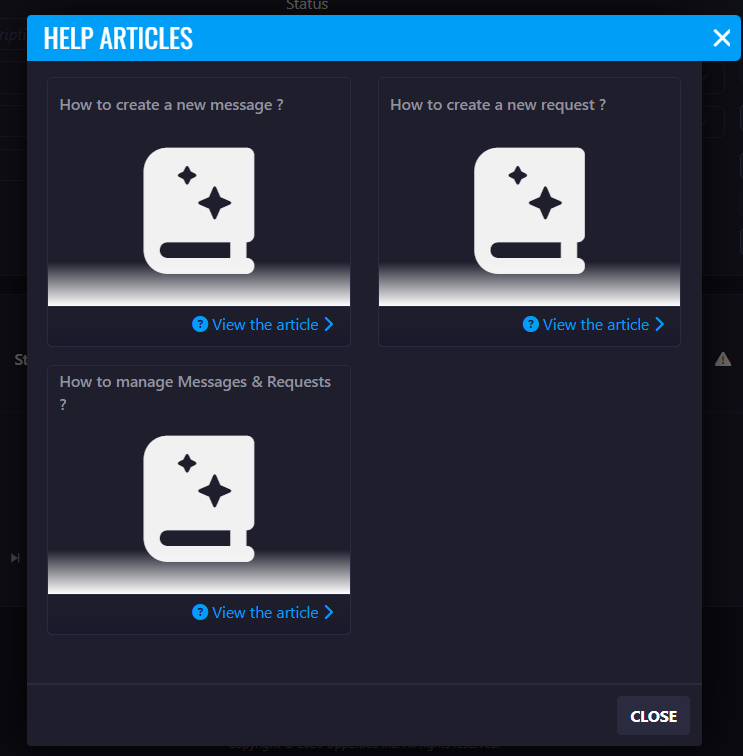
1. Help Articles Access
- A new Help Articles option has been added to the Quick Links menu.
- This option will appear only when help articles are available for the page.
 2. Permanent Support Access
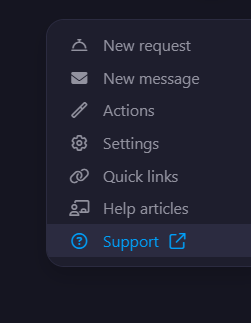
- A Support option is now always visible in the Quick Links menu.
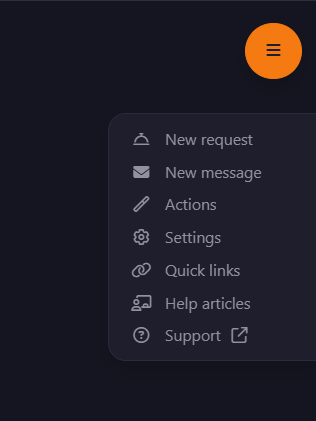
Improved Quick Links Order
New behavior:- If a page contains New Request and New Message, these actions will appear first in the list.
- If these actions are not available, Action will appear as the first item.
- Help Articles and Support will always appear as the last two options in the menu.
Task Visibility from Messages & Requests
Messages & Requests
What’s New
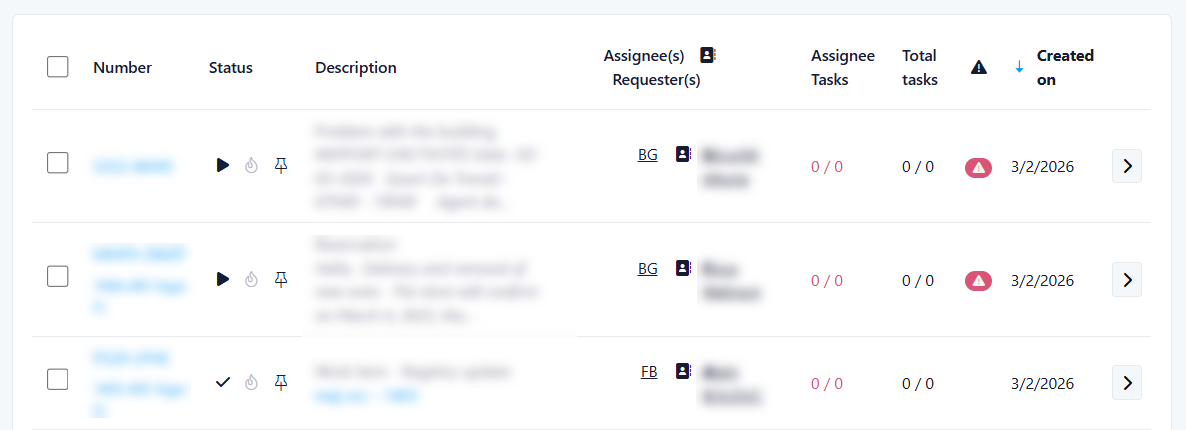
1. New Task Columns in Requests
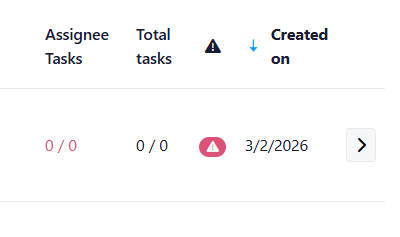
Assignee Tasks1/3
- 1 = tasks assigned to you
- 3 = total open tasks assigned to you for this request
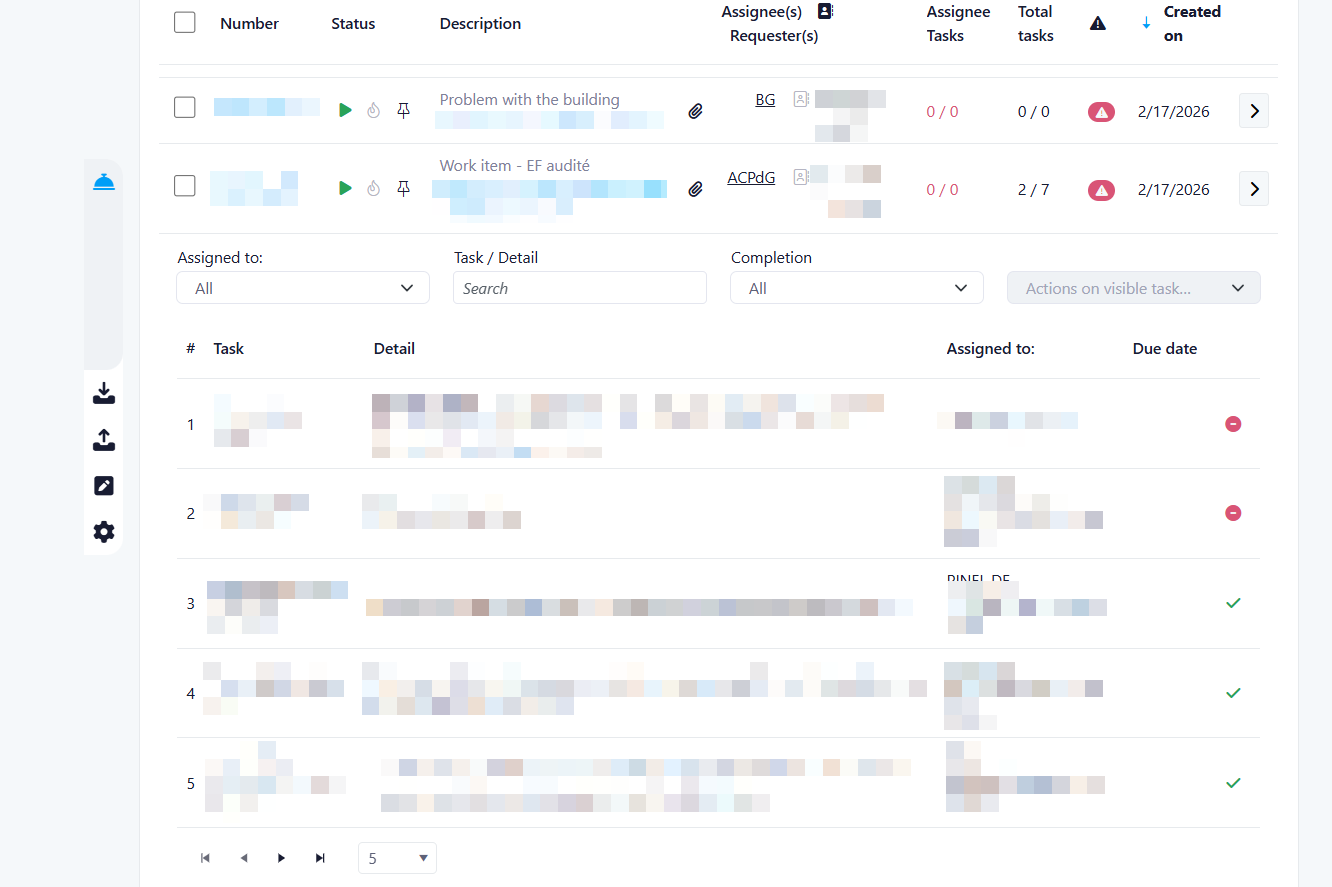
2. Quick Access to Task Details
Assignee Tasks- A panel opens showing the list of tasks related to the request
- The display is consistent with the existing task management view
- You can view all task details
- You can only update tasks assigned to you
- You can mark your tasks as completed using the checkmark, as usual
3. Updated Naming for Clarity
- “My Tasks” has been renamed to “Assignee Tasks”
4. Improved Default Task View
Now displayed by default:
- Tasks assigned to you
- All unassigned tasks
- Only tasks assigned to you were visible by default
- Newly created unassigned tasks will automatically appear in the list
Summary of Benefits
- Faster understanding of workload per request
- Direct access to task details from Messages & Requests
- Improved visibility of unassigned tasks
- More intuitive and consistent terminology
- Better team coordination and task management
Third Week Of The Month
New Features
In-Page Document Editor for Property Mail Merge Templates
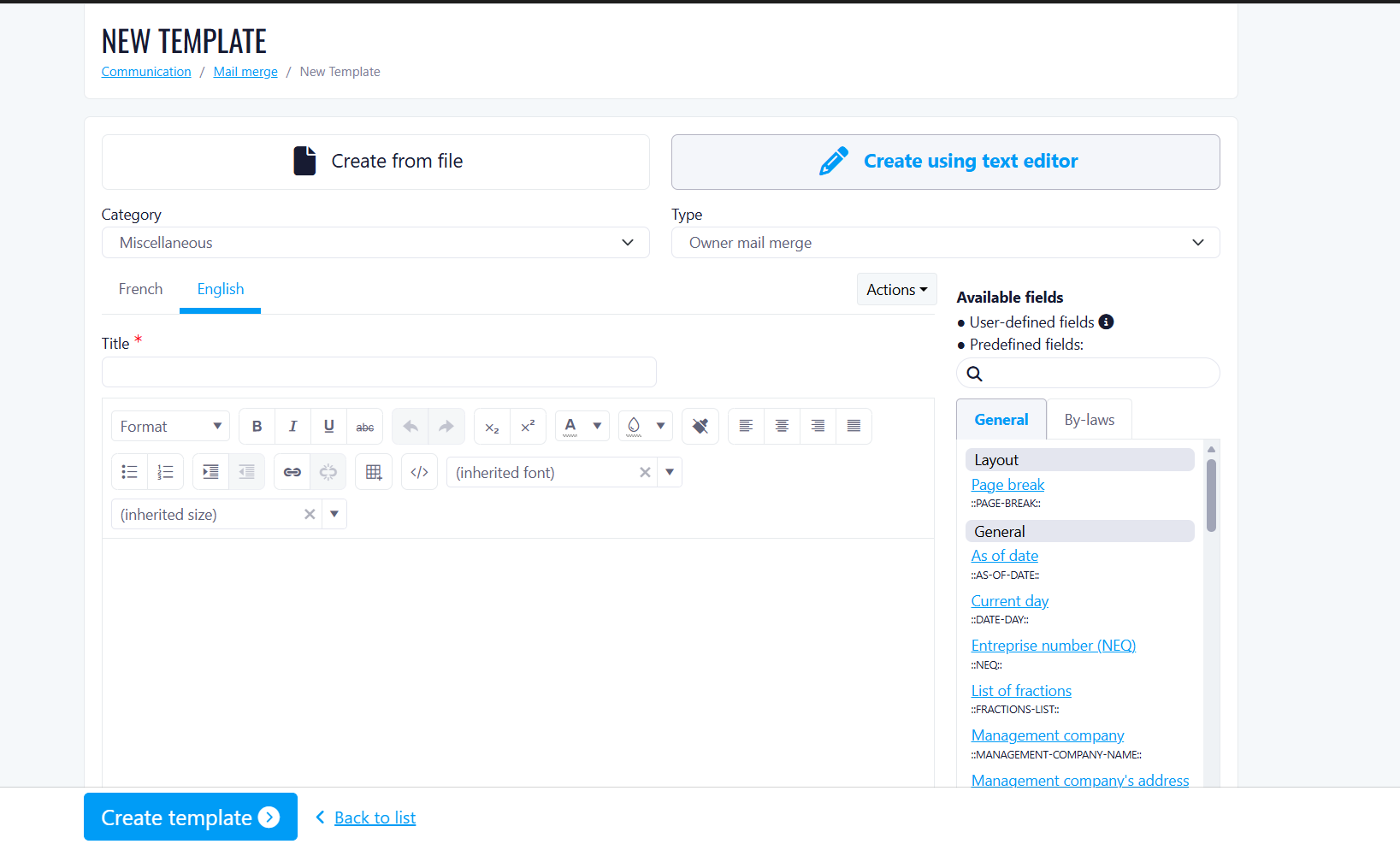
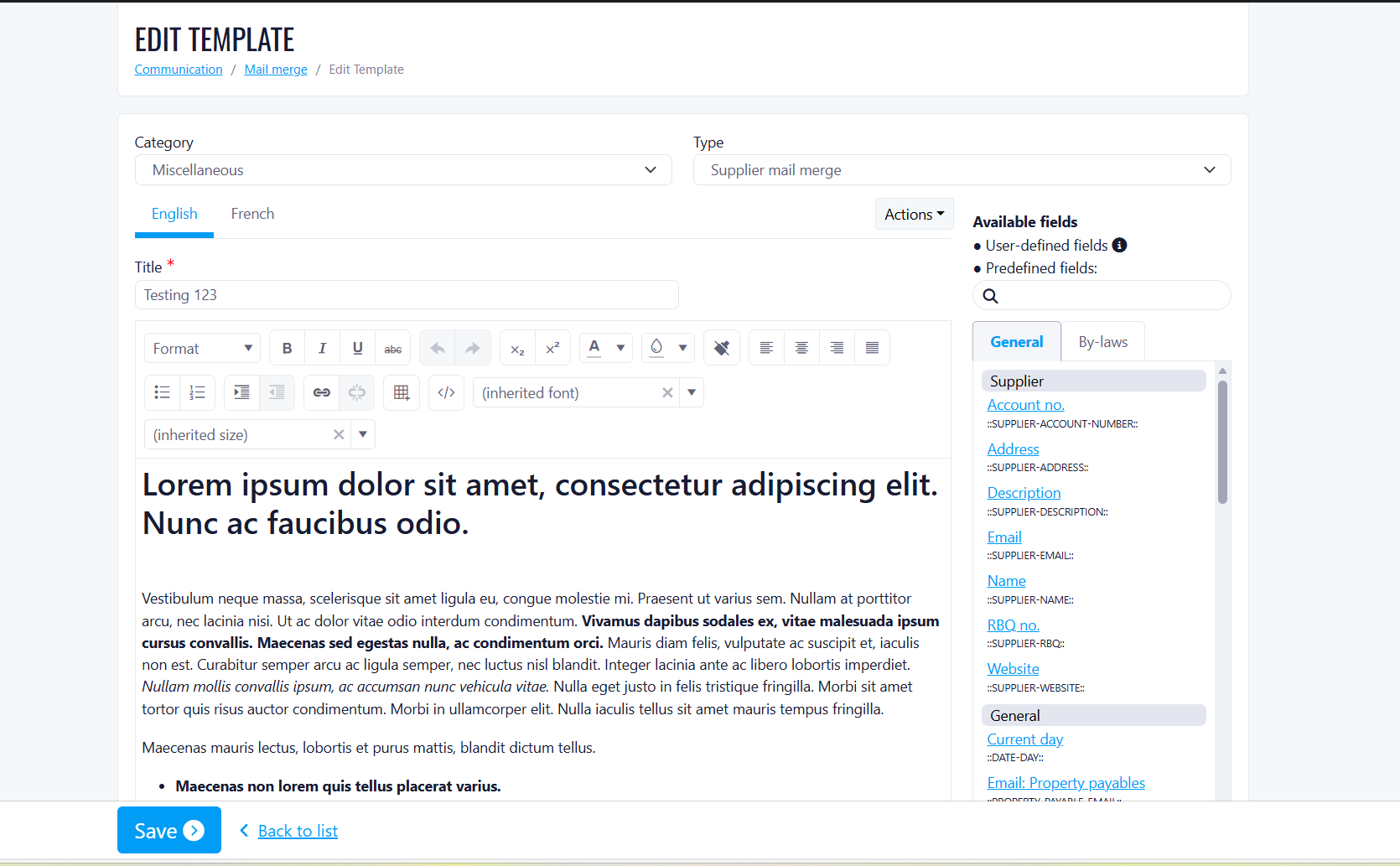
Before this release
With this release
Who is affected
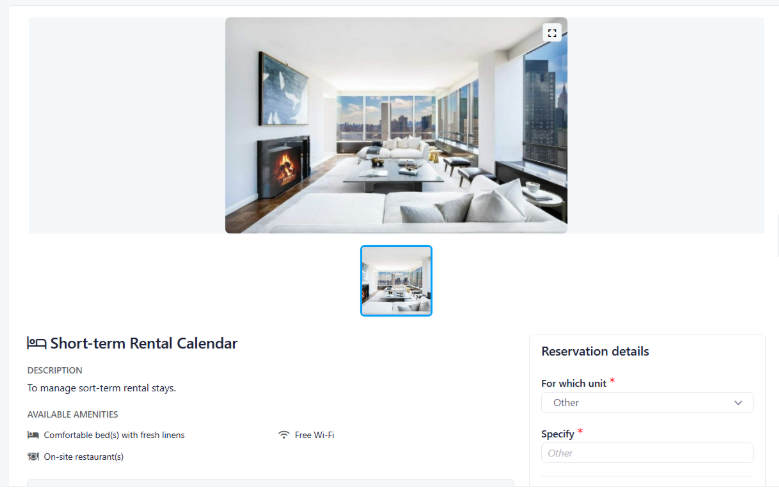
Short Term Rental & Reservation Management
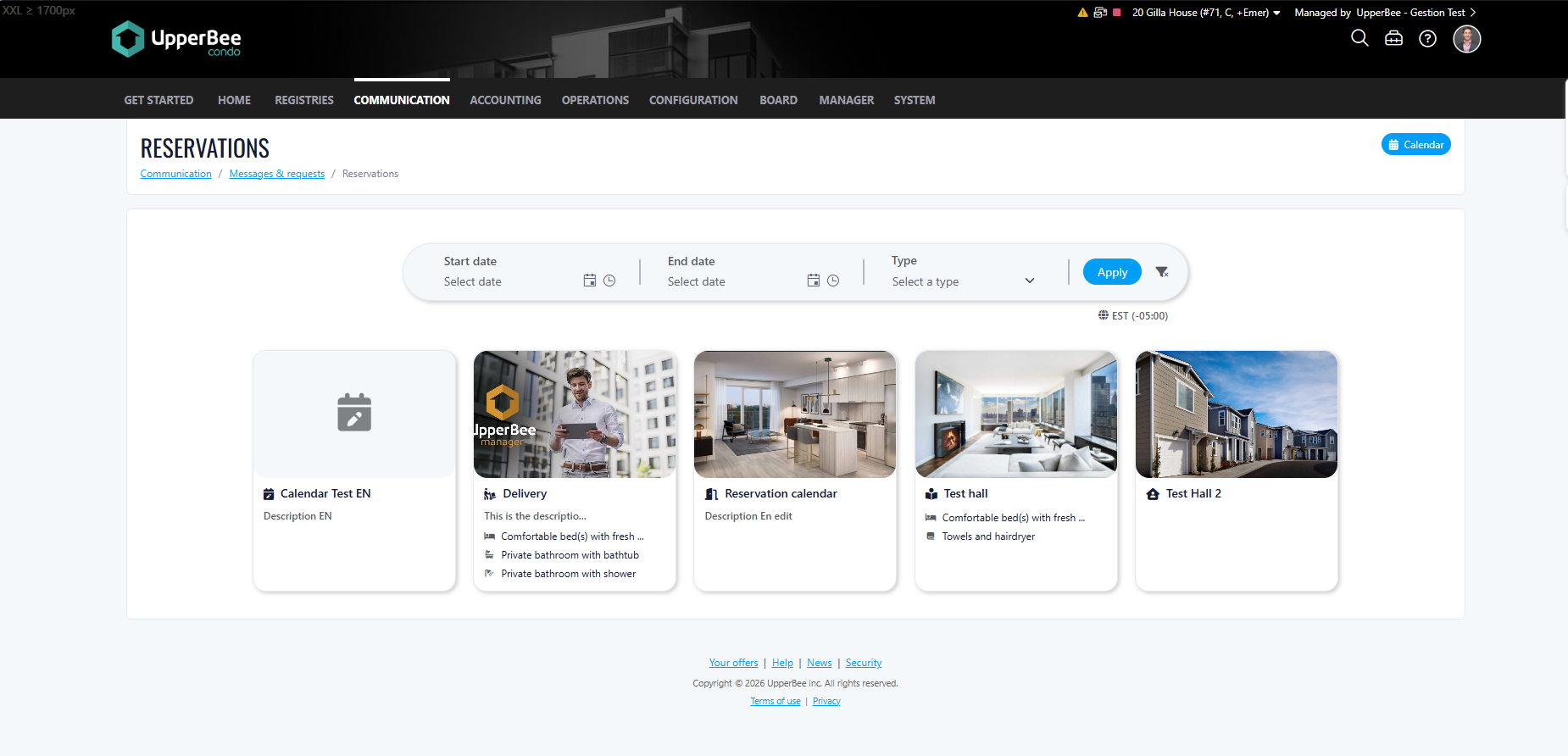
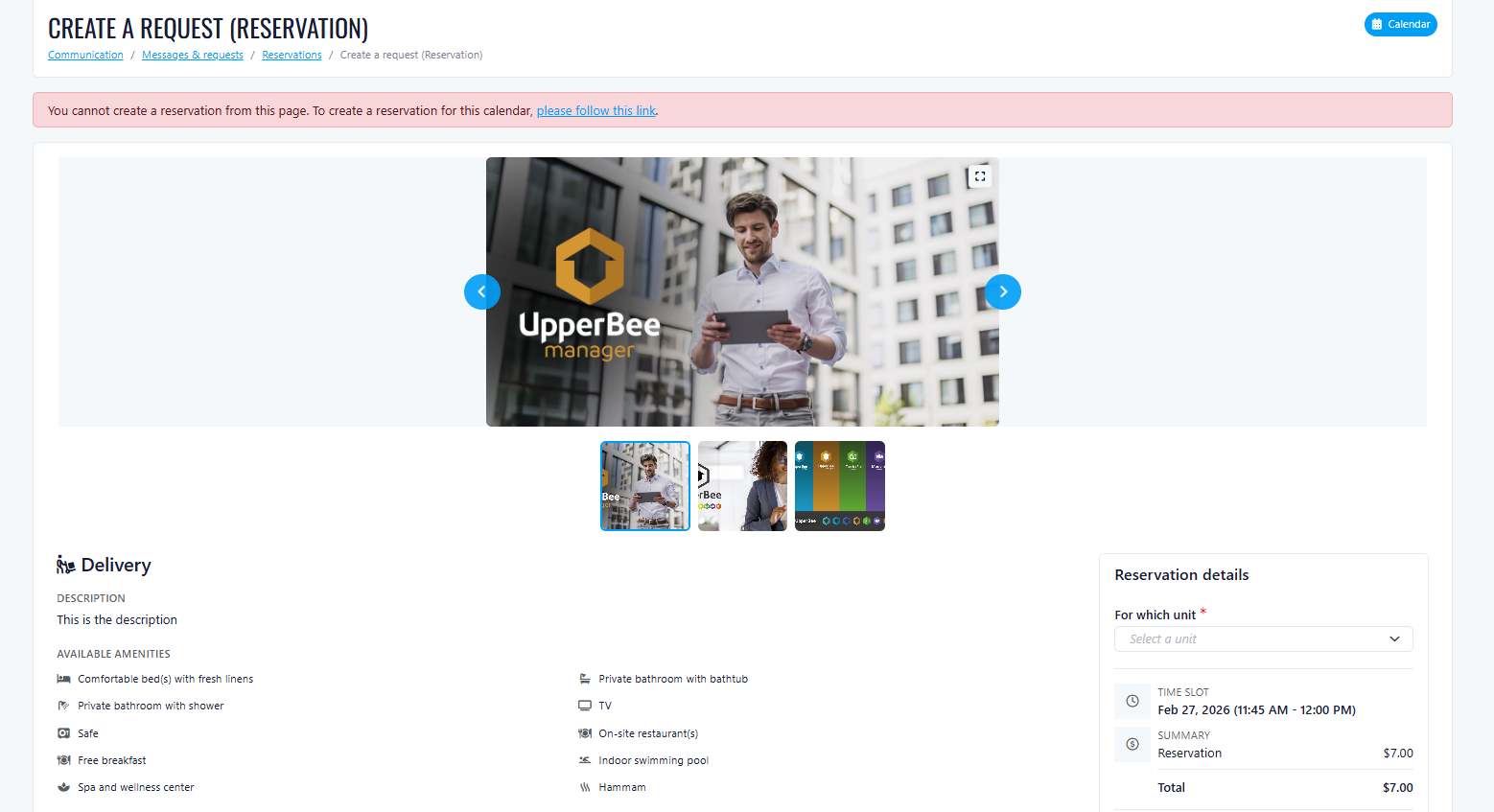
How the New Functionality Works
Centralized Reservation Experience
The landing page includes:
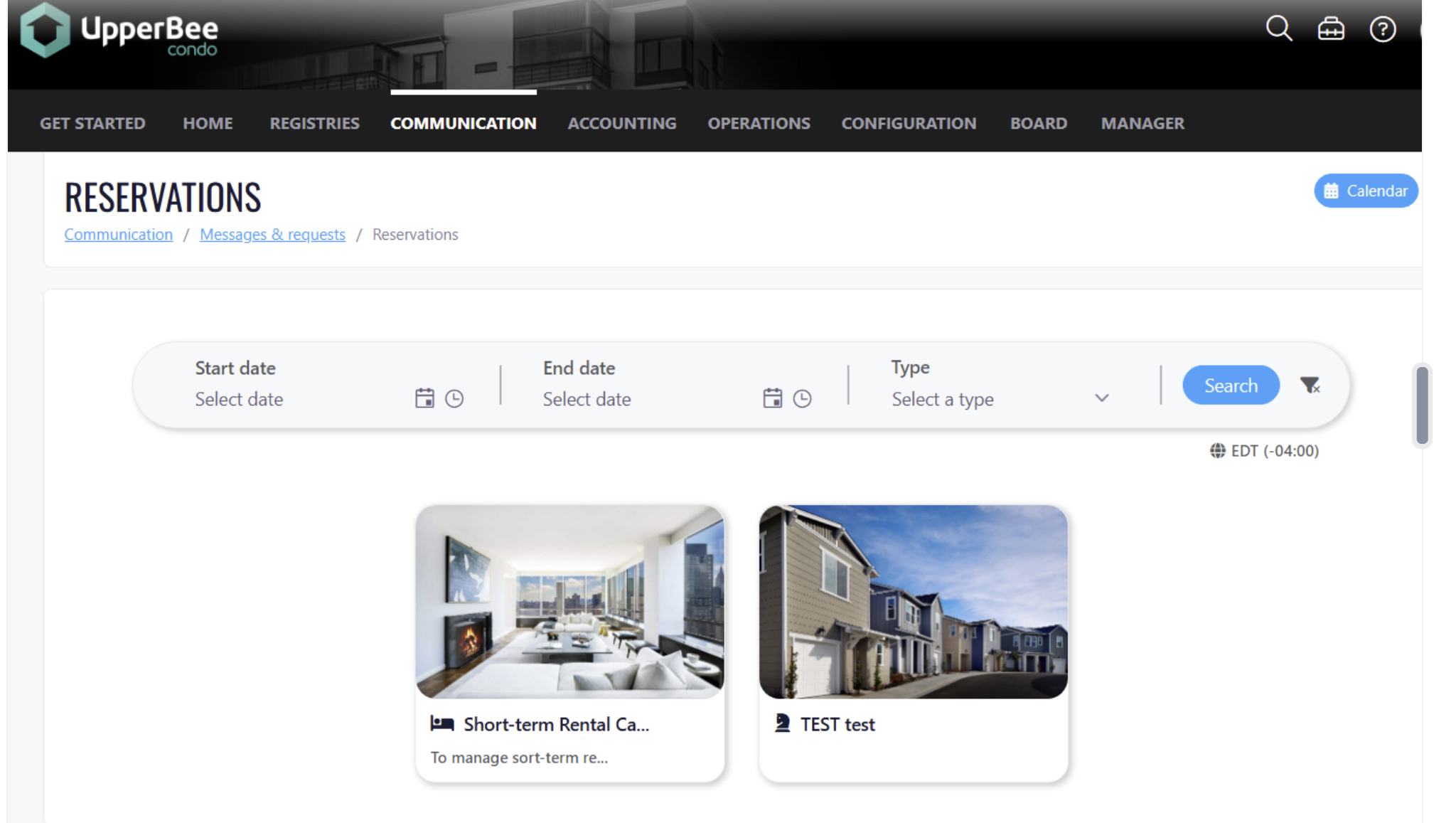
Each listing is displayed in a clear, card-based layout showing:
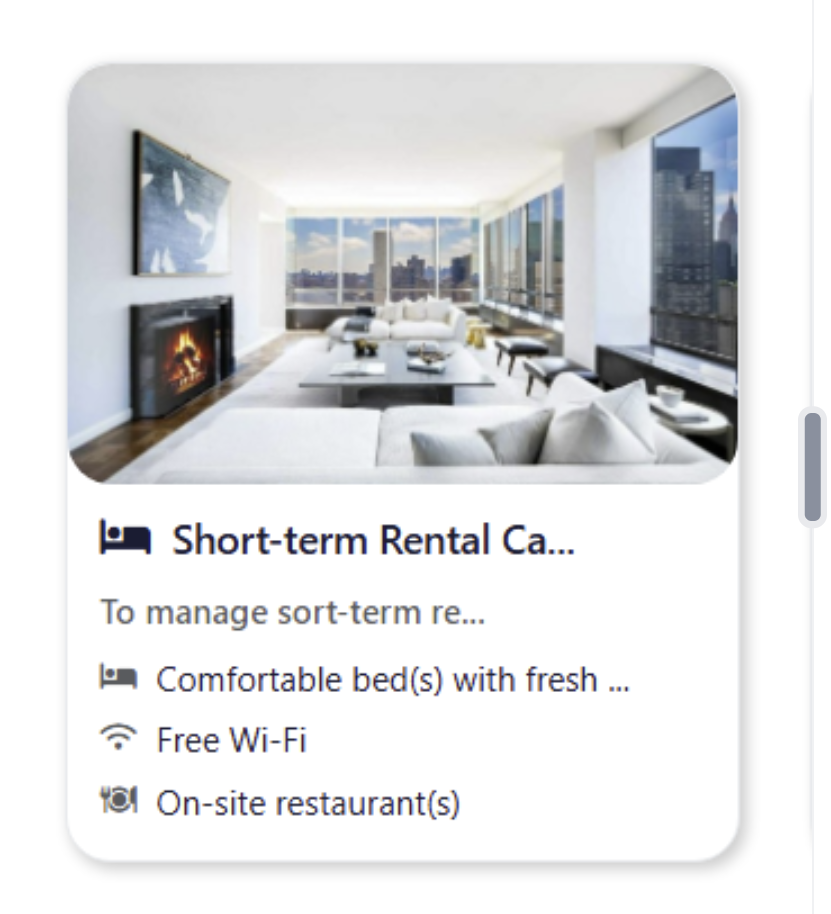
When selecting a unit, users can:
For Condo Owners
Key Features
Benefits
For Tenants
Key Features
Benefits
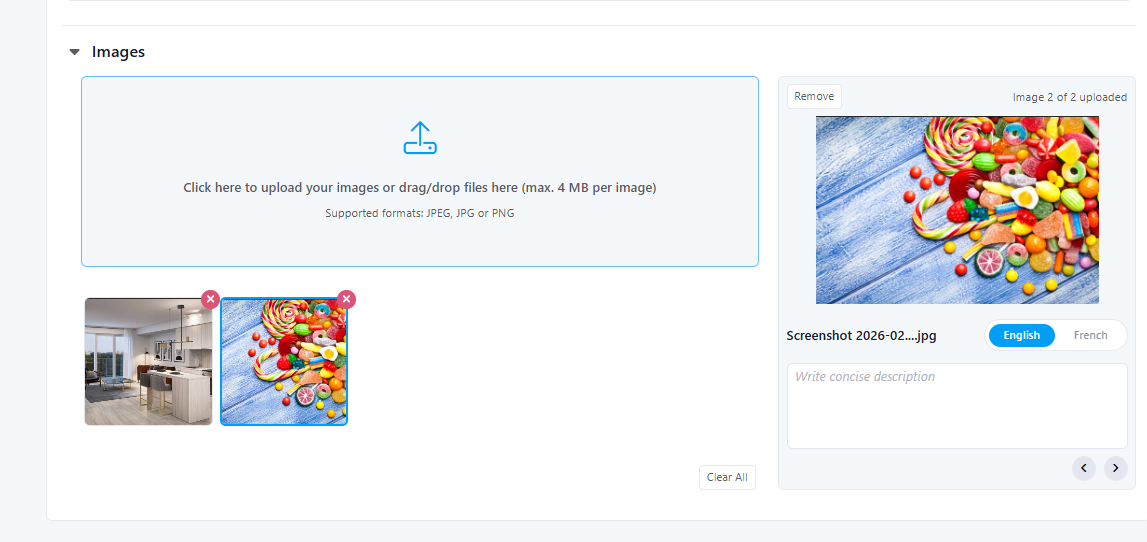
For Property Managers
Listing Management
Dynamic Pricing
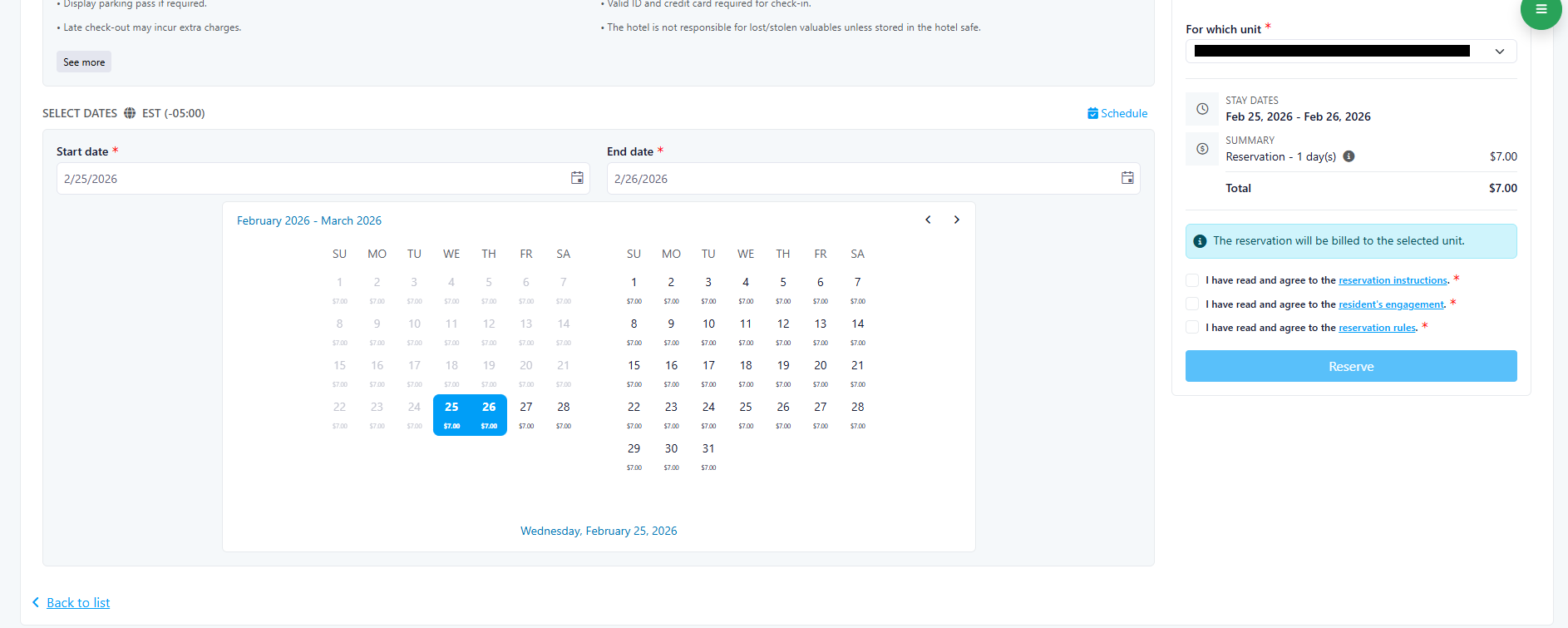
Calendar & Reservation Management
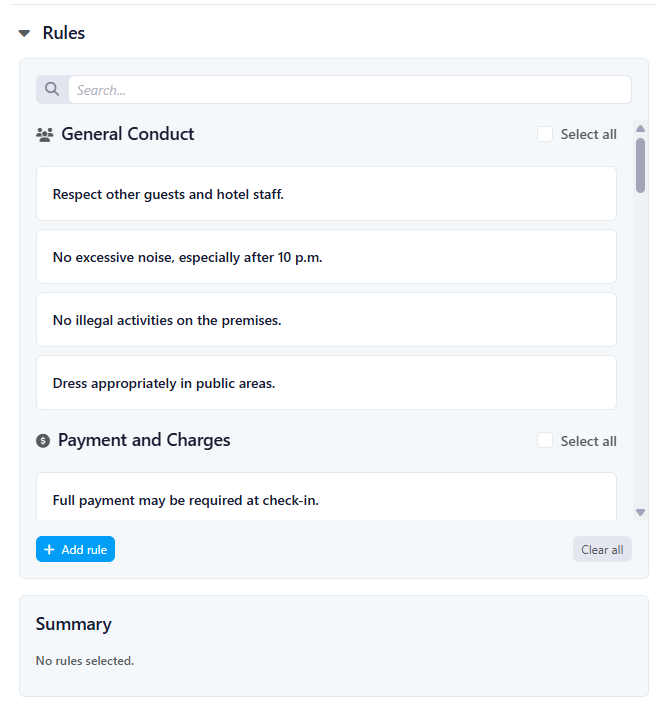
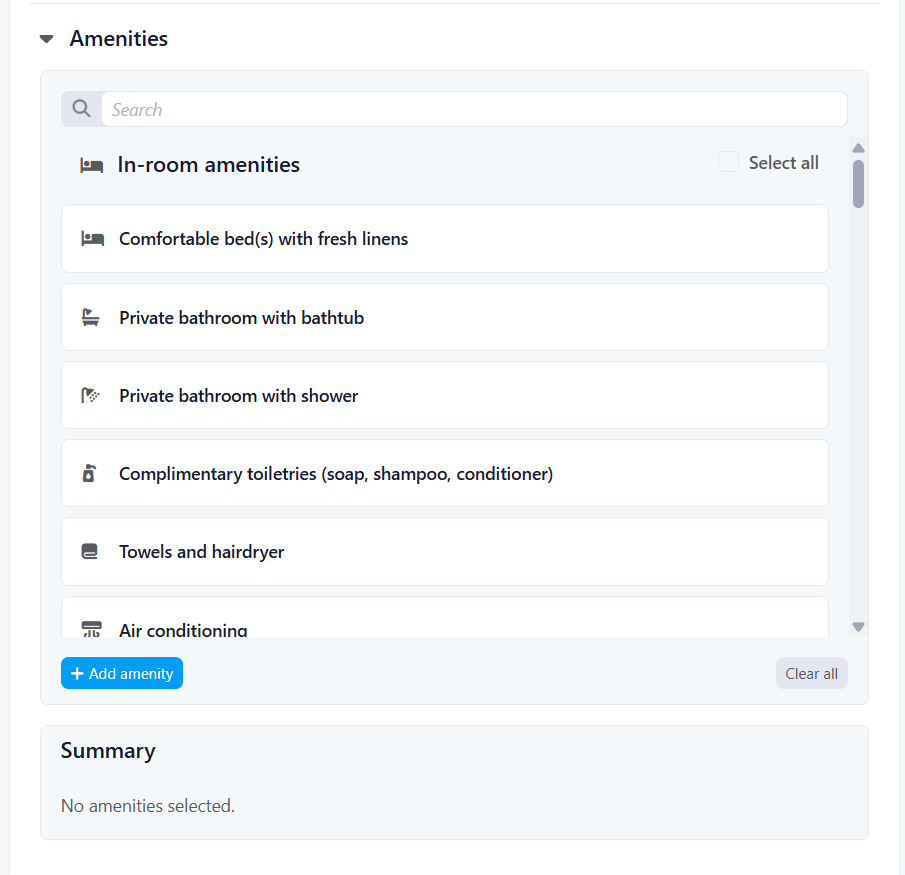
Rules & Amenities Configuration
Benefits include:
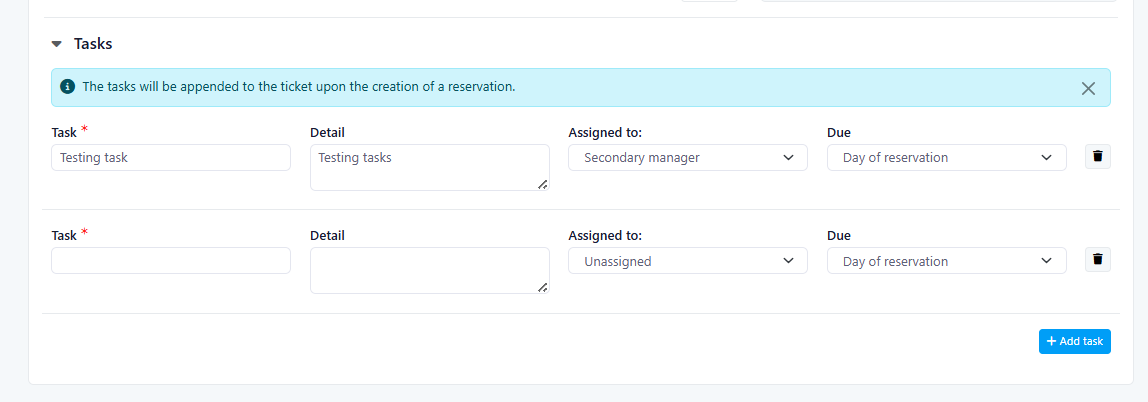
Automated Task List Creation
- Calendar-selected date
- 24 or 48 hours before reservation
- 24 or 48 hours after reservation
- Start date of reservation
Benefits
Overall Client Value
Improvements
Last Week Of The Month
New Features
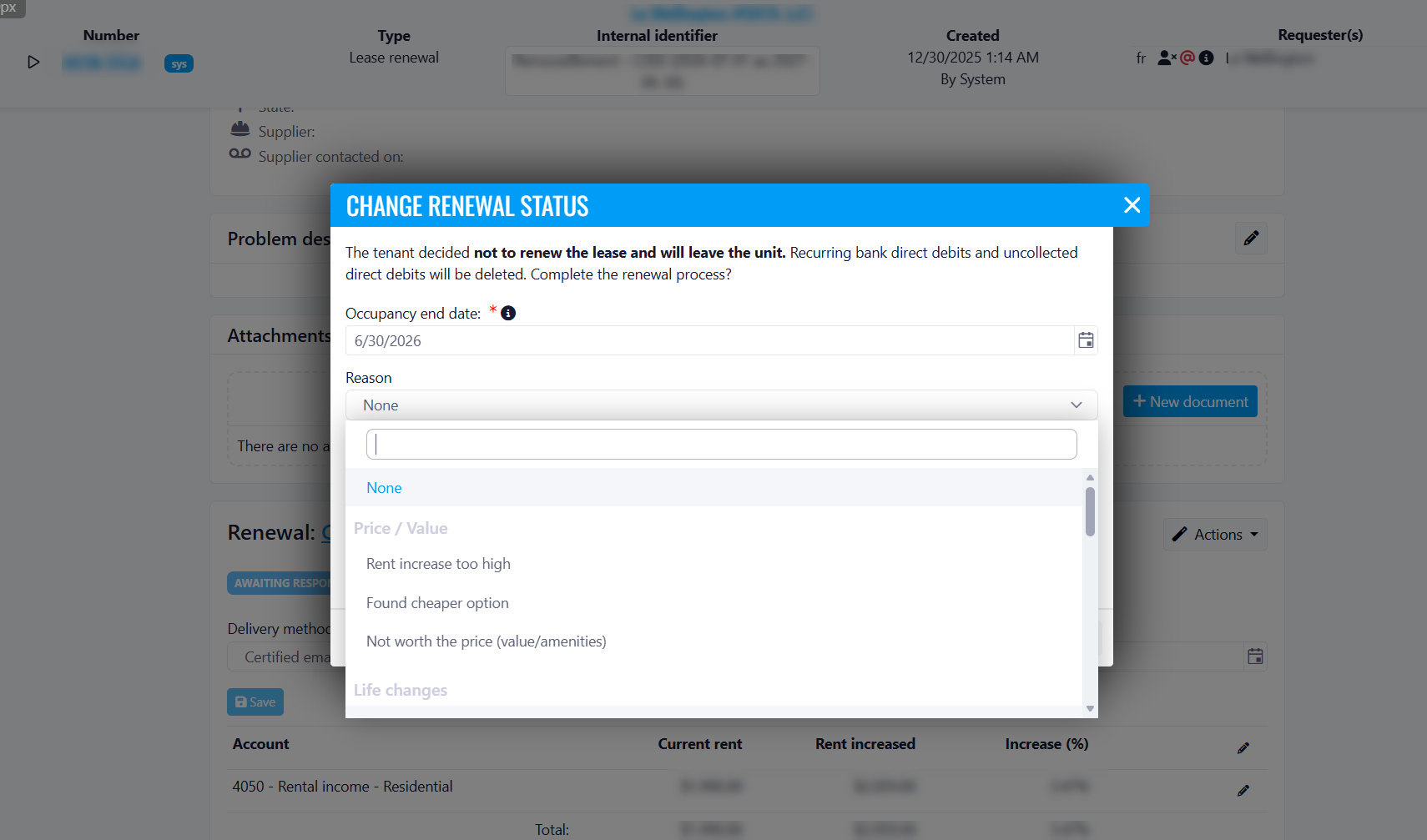
Lease Renewals - New "Other" Reason for Non-Renewal
Benefits
-
Better data capture: No tenant departure goes uncategorized, even when the reason doesn't fit existing options.
-
More accurate reporting: Non-renewal reasons are fully reflected in reports, giving property managers a clearer picture of tenant turnover.
-
Improved decision-making: Tracking all reasons for non-renewal helps identify trends and supports more informed retention strategies.
-
Greater flexibility: Teams can document unique or uncommon situations without being forced into a mismatched category.
Rental Leads now available at Property Level
property level
What’s new
property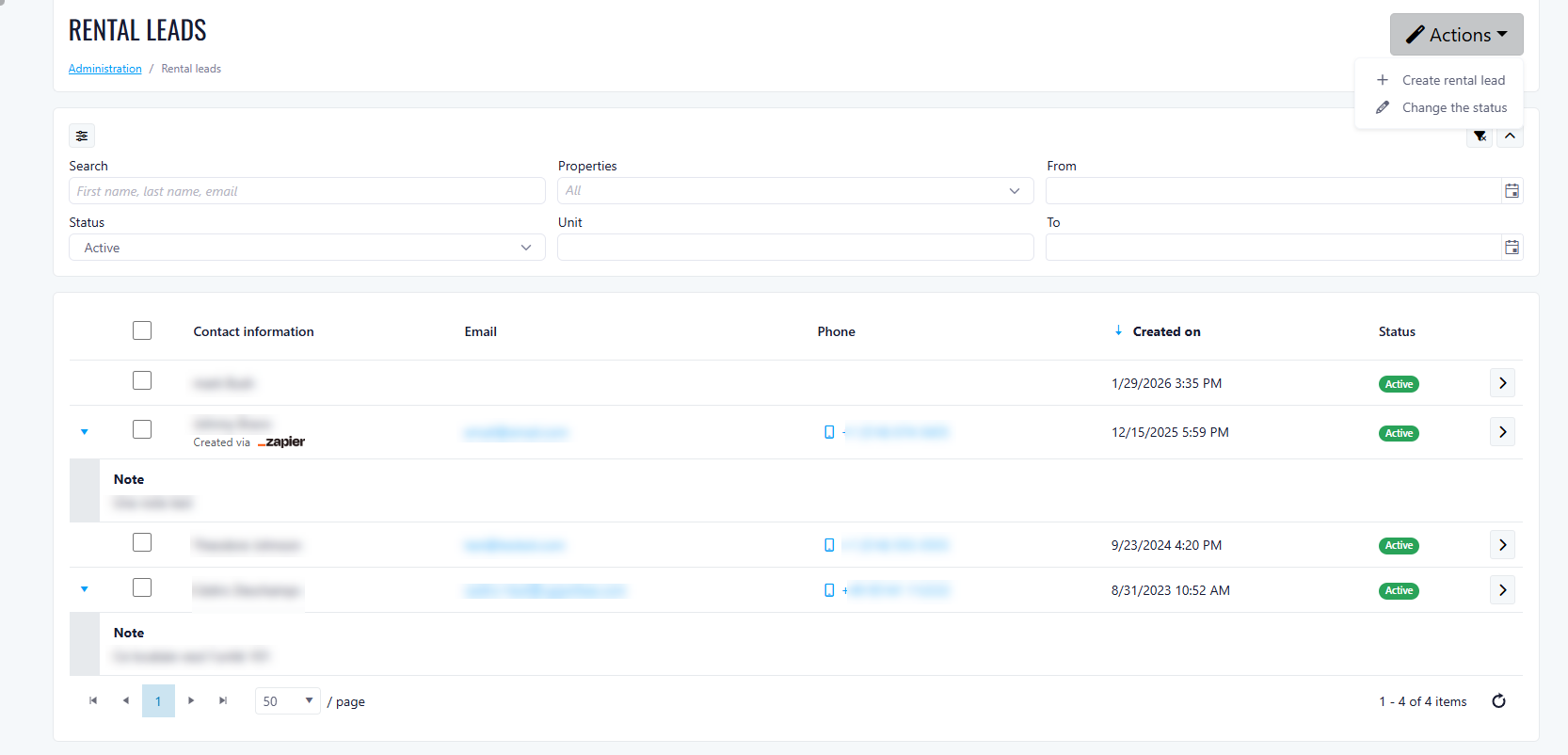
Key benefits
- Better visibility at property level: Manage prospects where leasing activity actually happens
- Faster follow-ups: On-site teams can act directly without relying on company-level access
- Improved organization: Keep leads tied to the relevant property and unit
- Streamlined leasing process: Easily track candidates from first contact to lease signing
How it works
- View and manage all rental candidates associated with a property
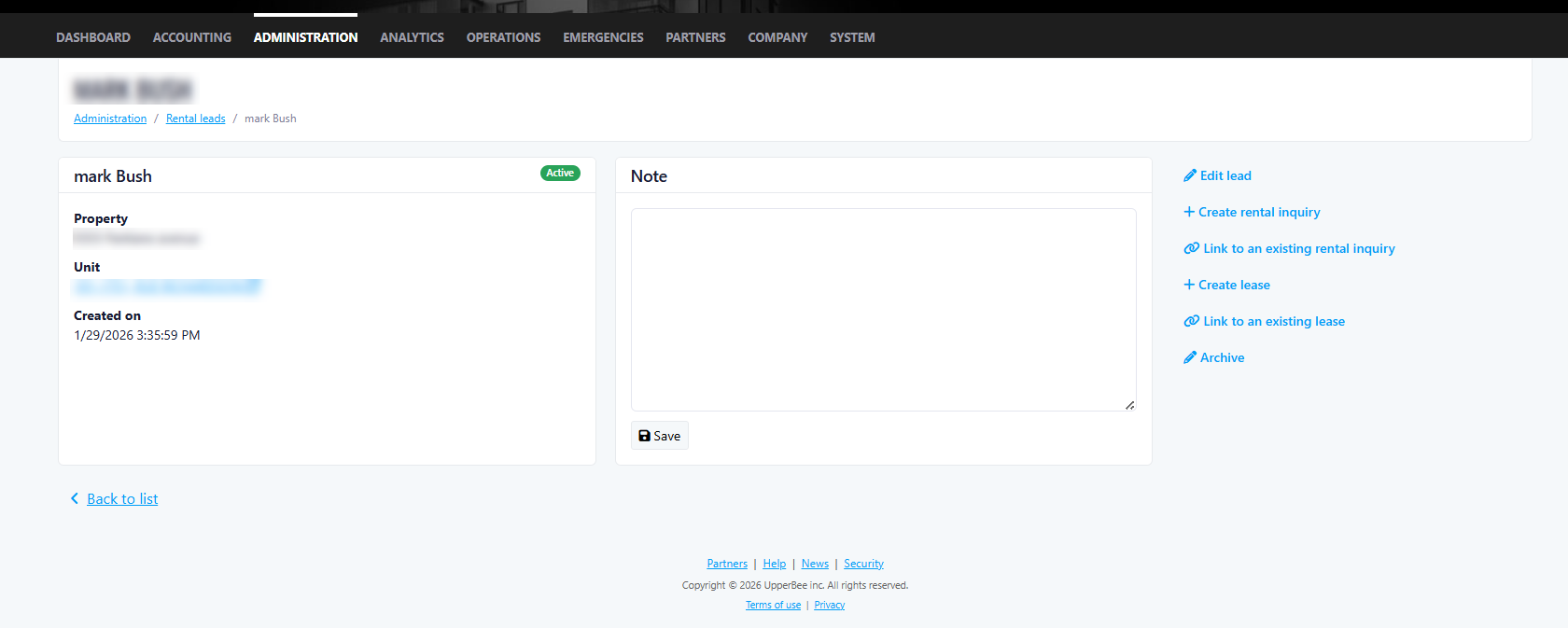
- Create and update candidate profiles
- Track candidate status throughout the leasing lifecycle
- Link candidates to:
- Pre-leasing inquiries
- Leases
Availability
- The property is rental type
- The Lease feature is enabled
- The property is managed by a management company
- The feature gate RentalLeadsProperty is enabled
Permissions
- View only (
scapp.rentalleadsmanagement.view):- View candidates and details
- Manage (
scapp.rentalleadsmanagement.manage+ view):- Create, edit, and update candidates
- Change candidate status
Improvements